Creating the Action Design System to Make Accessible, Intuitive and Unified Experiences on Letterboxd
TEAM
Lillian MacGuire
Ariel Li
Hridya Nadappattel
Krishna Kishore Lal
DURATION
4 months
TOOLS USED
Figma, Zeroeheight
MY ROLE
Figma advanced prototyping, component creation, accessibility audit, usability testing, pitch deck and delivery
OVERVIEW
Over the course of 3 months, our team of 4 UX designers created Action, the unofficial design system for Letterboxd, the popular social platform for discovering and rating movies. We broke down the Letterboxd website through an interface audit, identifying the different gaps in the website. Following this, we created a UI Kit and the design system documentation to enable the faster creation of accessible designs for Letterboxd.
Why does Letterboxd need a design system?
Grey(t) Expectations
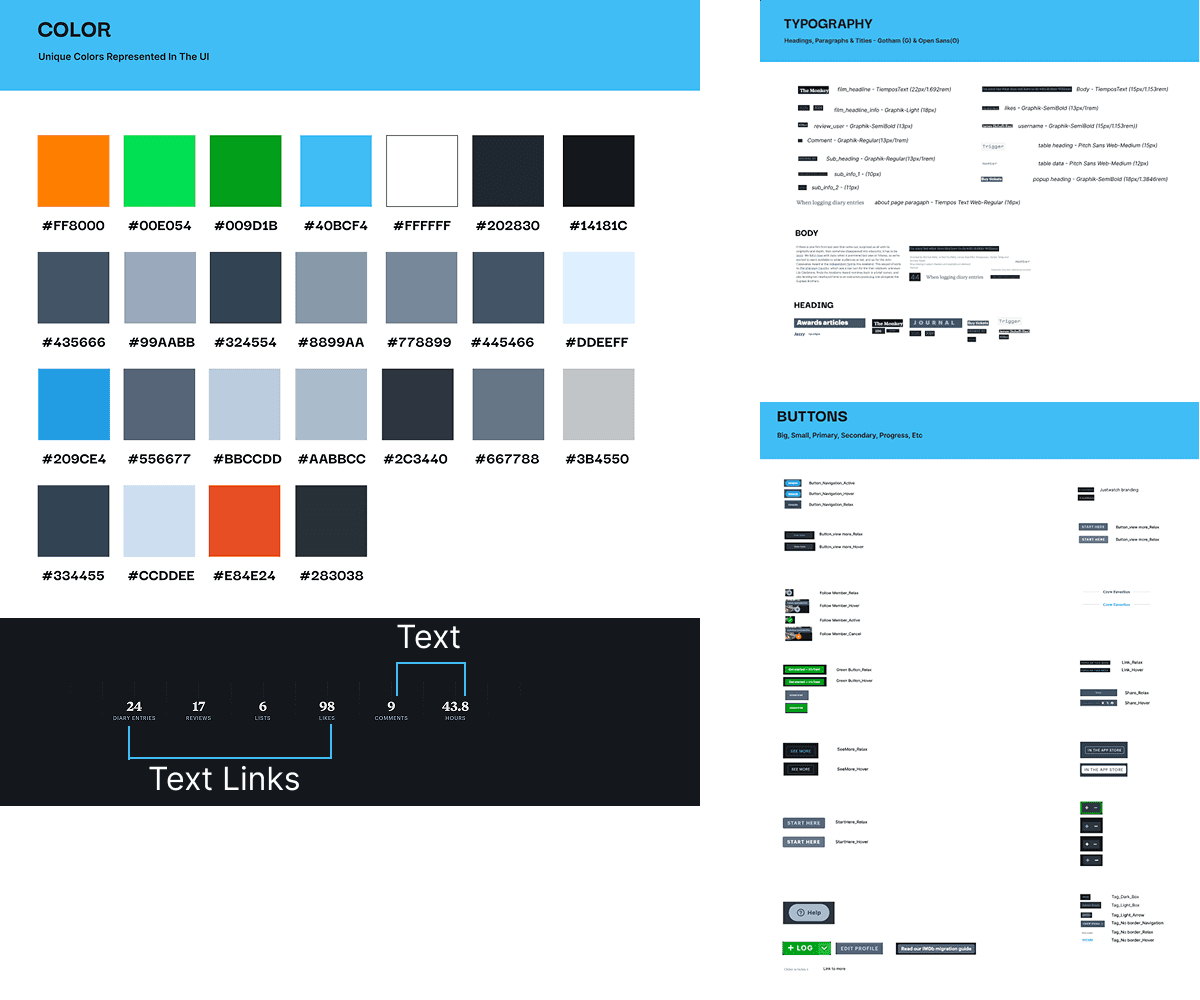
We identified 22 color styles on the website, and of those 22, 18 were more or less a gray hue
More styles than Vogue
We also found 15 text styles and 15 types of buttons
Finding a text link in a text stack
The website is rife with inaccessible designs such as a low contrast color palette, small text sizes, and text links which cannot be distinguished from static text
Designers are quick to catch the visual design gaps. So you might ask why inconsistency is a problem for anyone else. Well…
Developers hate inefficiency
It's hard to build designs quickly and scale when there's extra code and a high degree of inconsistency
Businesses hate losing money
Taking time to build and scale means spending more money on development and losing out on profits
End users hate inaccessible, unintuitive UX
Inaccessible and inconsistent designs restrict the platform to fewer groups, and also makes for unpleasant unintuitive UX
So we created Action! A design system that can please everybody at once. It includes
We're here to convince you that it does work for everyone. Here's our pitch.
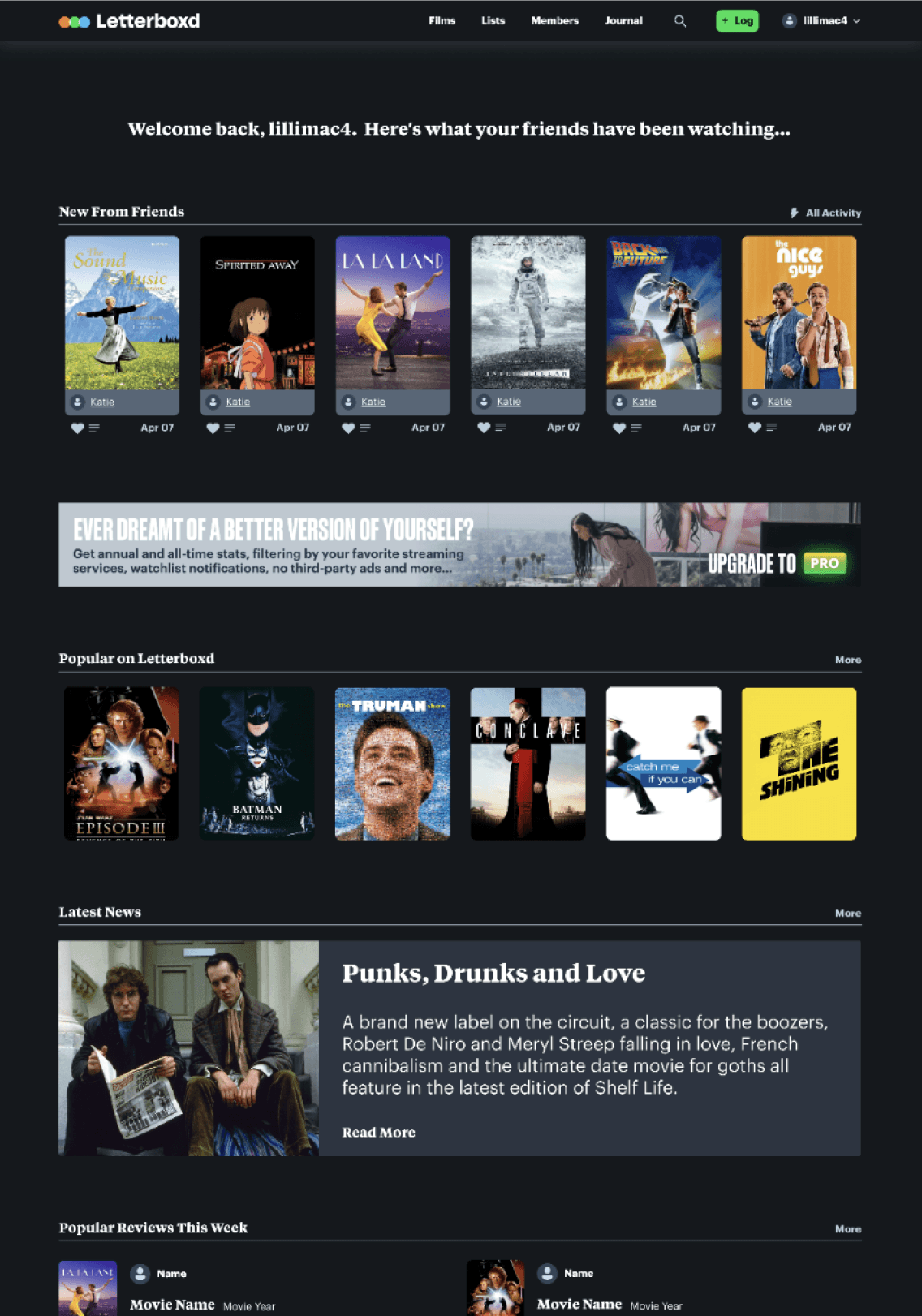
Letterboxd before Action
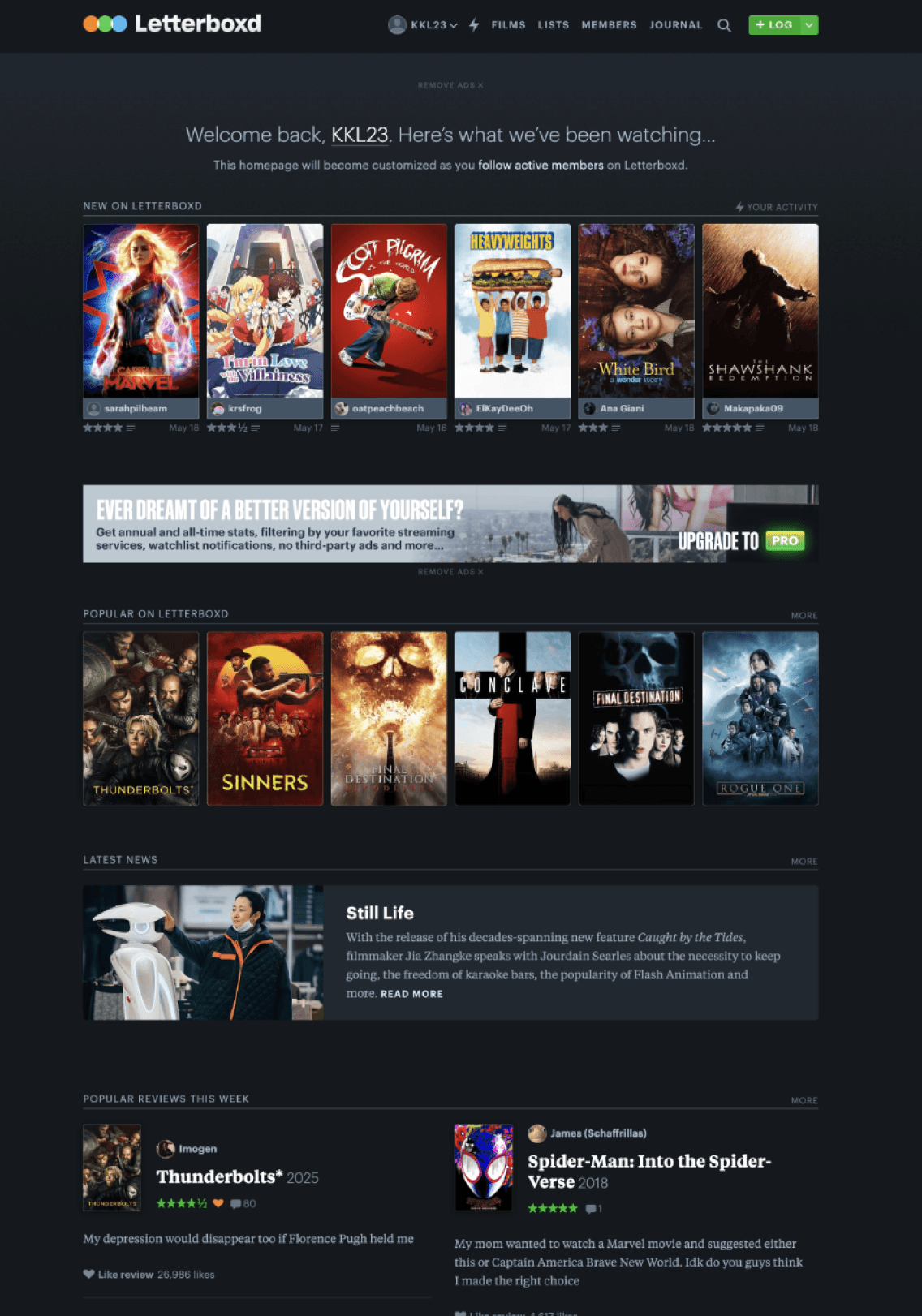
Letterboxd made with Action
The process of creating a design system
Step 1: The Research and Work that goes into creating a product for designers and developers (when you're on a budget)
A Cognitive Walkthrough of sorts
We used existing design systems to recreate pages of Letterboxd, just to get a sense of how usable a design system needs to be, and understand the work cut out for us
Deconstructing Letterboxd's Interface
An interface audit and breaking down Letterboxd, helped us identify more inconsistencies and enabled us to think in terms of creating reusable components
Developing guiding principles
We first examined the Letterboxd brand and our own values to create a set of guiding principles for Action. We came up with the FILM principles to create designs which are
Flexible
Inclusive
Lively
Meaningful
Step 2: Killing 2 birds with atoms, molecules and documentation stones
Using Brad Frost's Atomic Design framework, began creating our UI kit, starting with basic tokens, styles and then scaling up to more complex components and patterns.
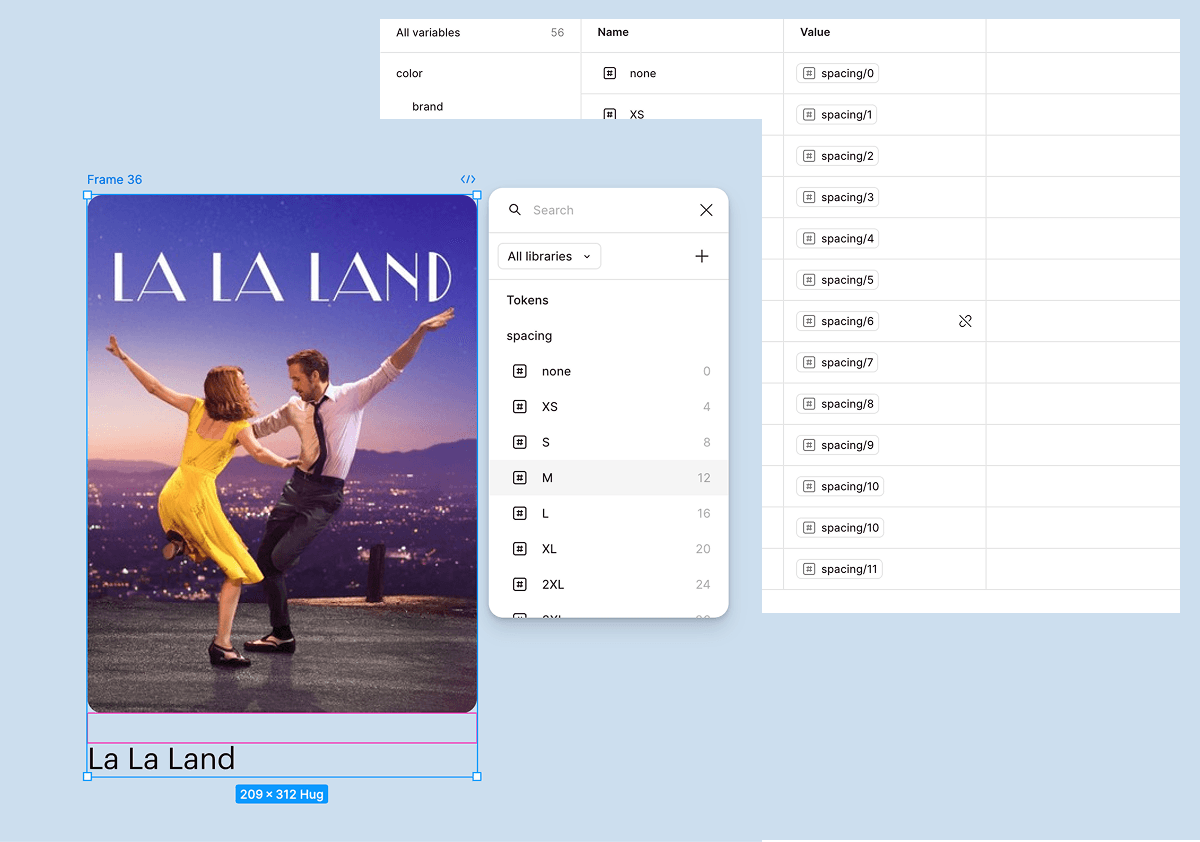
Imbuing Action with the language of Tokens
We built our system on a foundation of tokens to enable the creation of a consistent and scalable design system from the start. It sets a shared language for designers and developers, also allowing for better communication
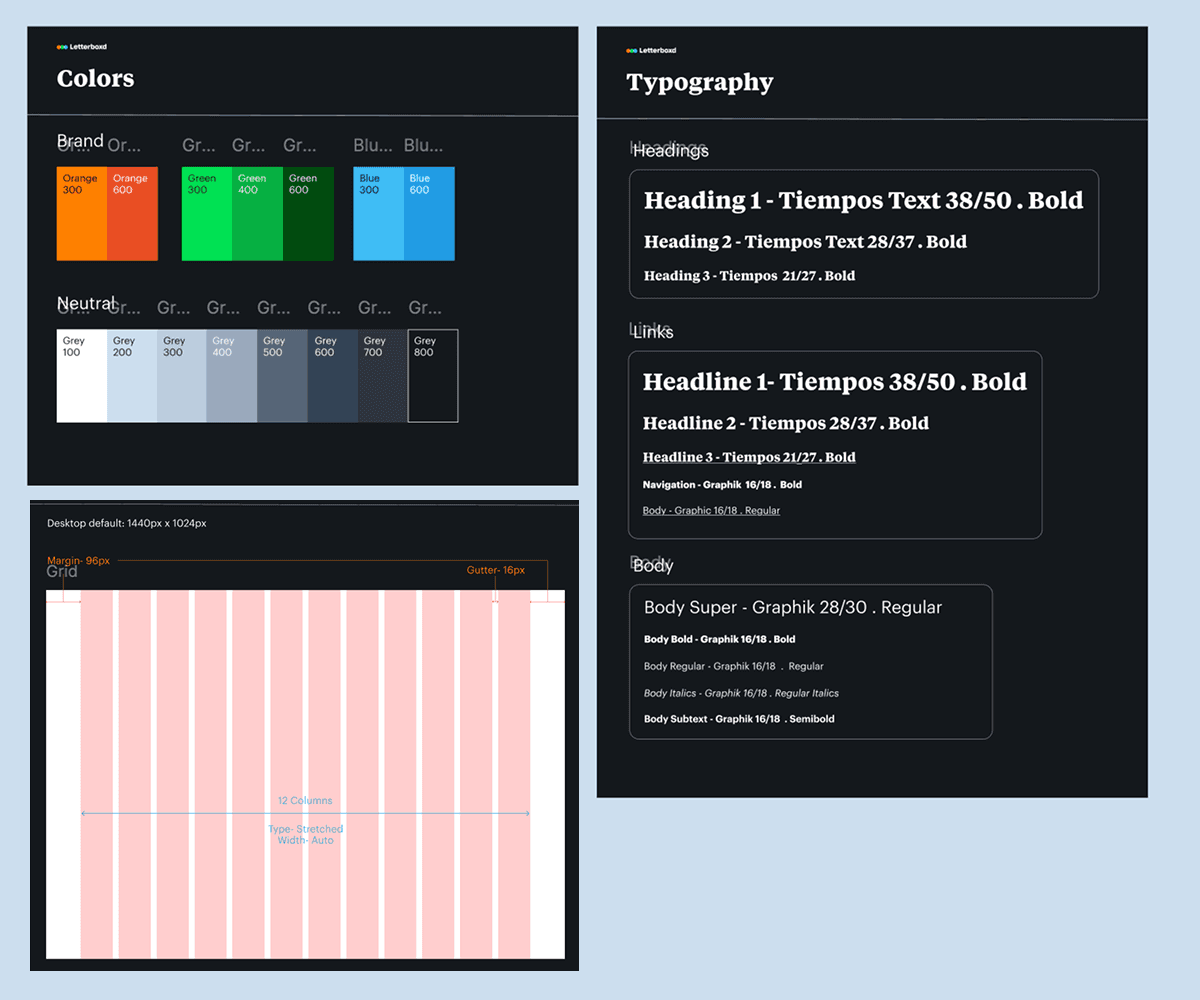
Styles that are accessible and cohesive
We condensed the type styles and color palette and limited them to exactly what is needed, but also provide enough flexibility without deviation from the Letterboxd brand. We also ensured the color palette was tweaked to allow for enough contrast and the font sizes don't fall below 16 pixels to cater to accessibility guidelines.
Components that flexible, usable and reusable
The groundwork helped us create components with Figma variants to ensure you can create versatile designs more quickly

Step 3: But do designers find Action usable?
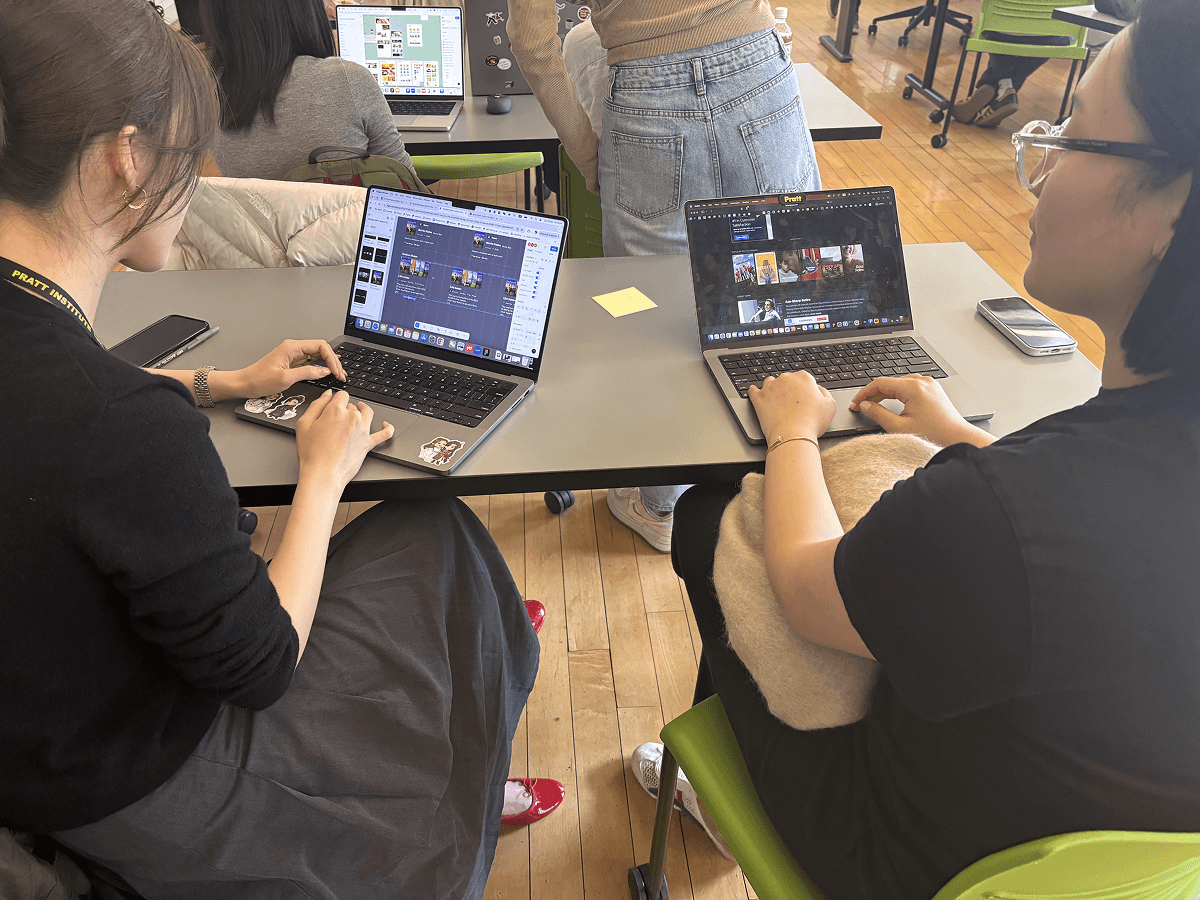
We thought out kit looked great, but we were also staring at Letterboxd pages for hours on end. So we conducted a quick usability test and asked our classmates to recreate the homepage of Letterboxd using our UI Kit and they had a couple of things to share
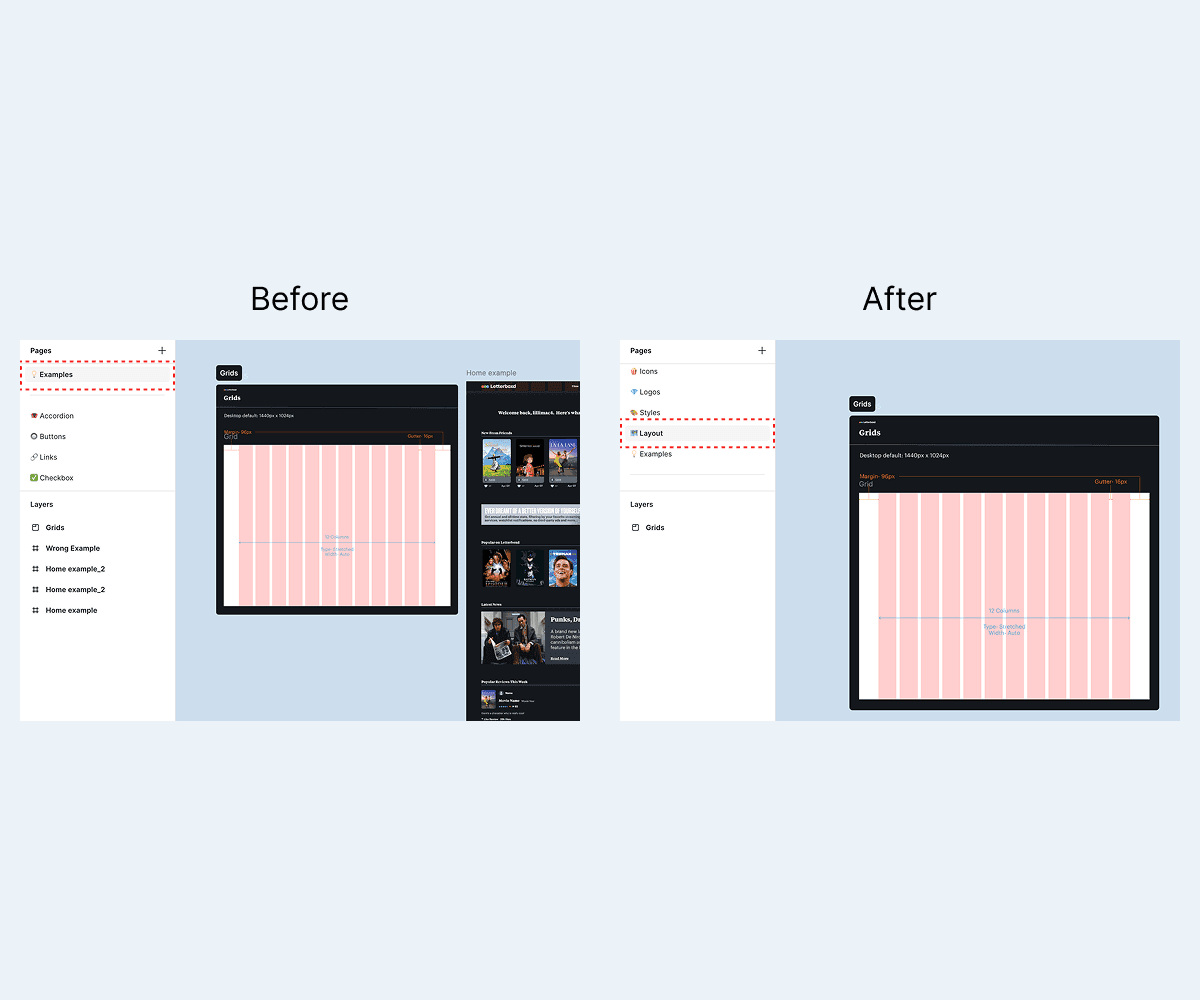
Finding the grid was difficult
Designers struggled to find the first element of creating the design: the grid style. Our grid was hidden in a page titles "Examples" and was easily missed. It's the first thing designers use, and so being more explicit with our naming was something we learned to implement
Which variant does a designer use?
Designers loved the card components, but they weren't really sure about when to use which variant. When do they use the horizontal list card? When do they use the vertical one?
So how did we address the issues we found through our usability testing?
Step 4: Documentation that designers love to read
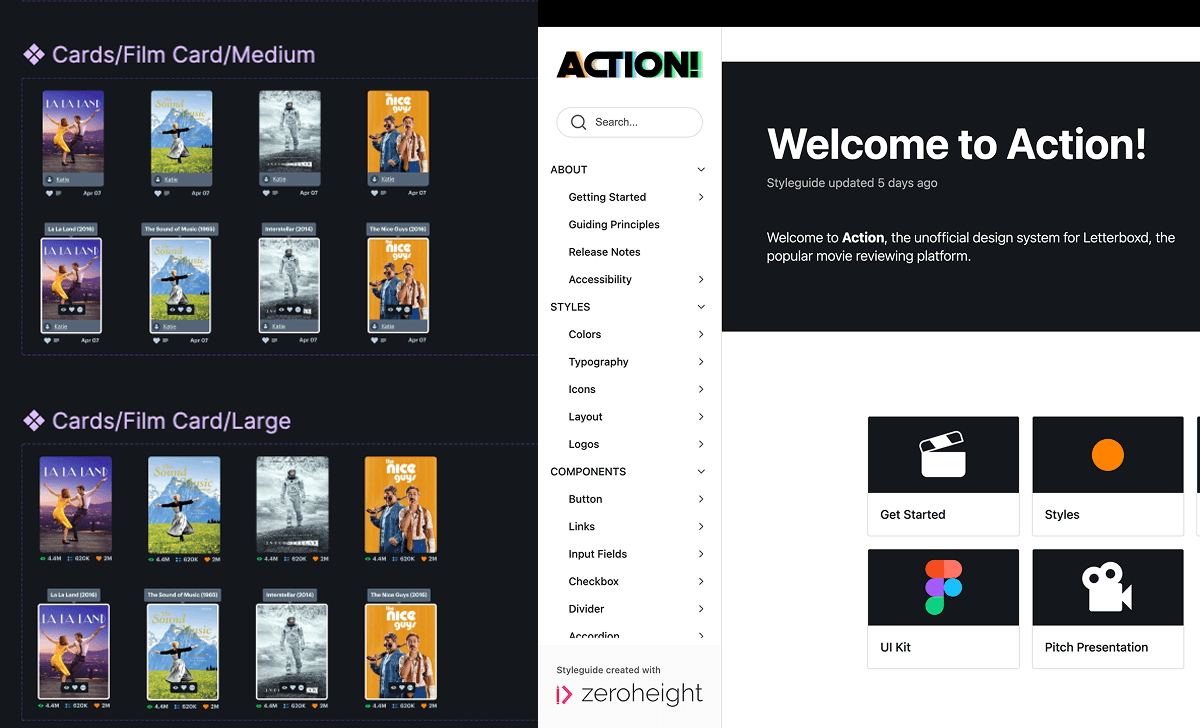
The UI Kit without any documentation was meaningless. We created a documentation site on Zeroheight detailing all the information designers need to start using Action. Together, the kit and the documentation form the basis of the Action design system.
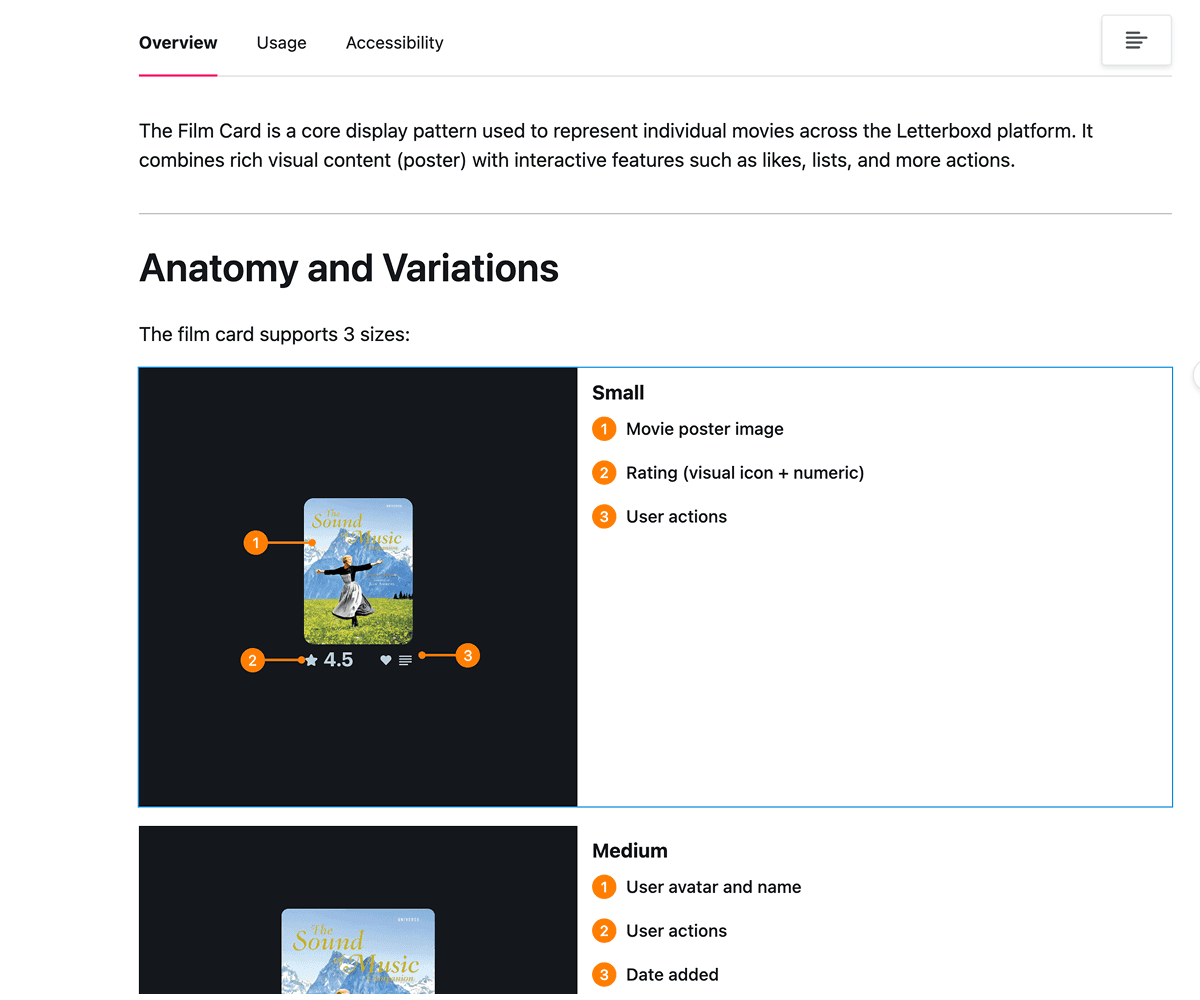
Breaking down every component
We used visuals to detail the breakdown of every component, including providing annotations and the details of every variant, all while keeping our text succinct
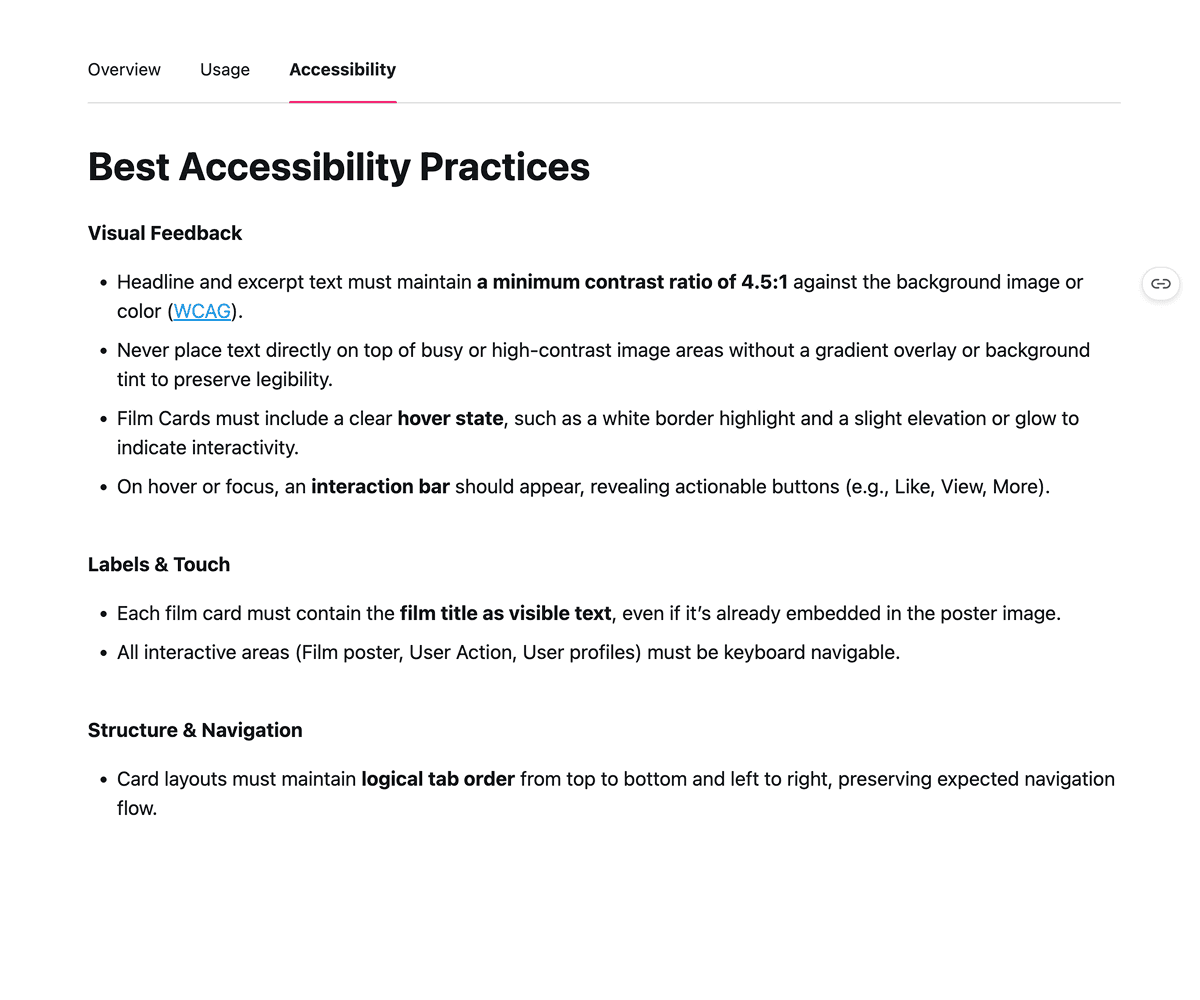
Accessibility across the board
Accessibility is baked into everything, and our documentation is no exception, with discussions of how every component adheres to Web Content and Accessibility guidelines
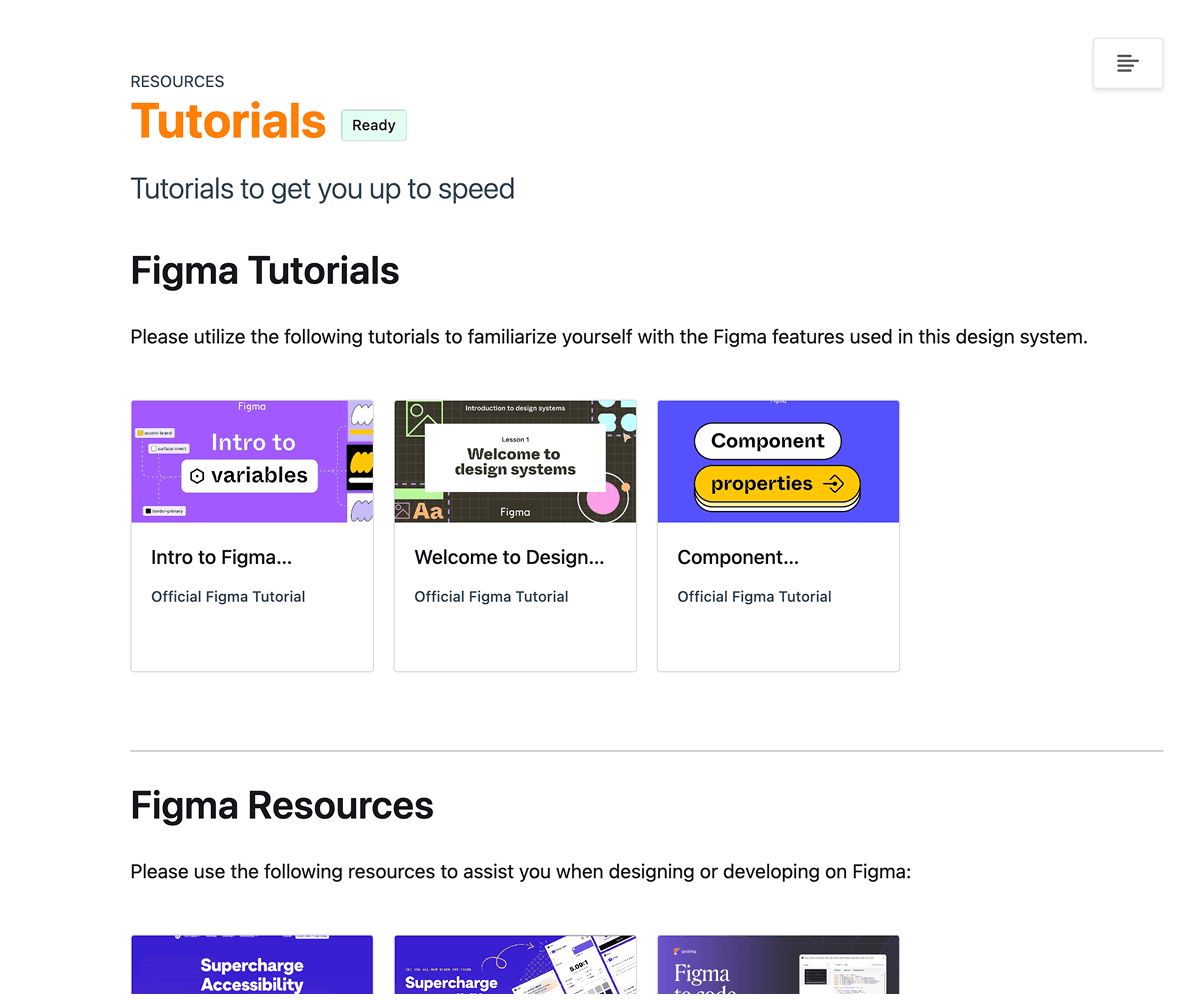
Documentation built to be adopted
The purpose of the documentation is to get designers to adopt the design system. So we also provide resources to help onboard every designer.
Here's why you should put Action into action
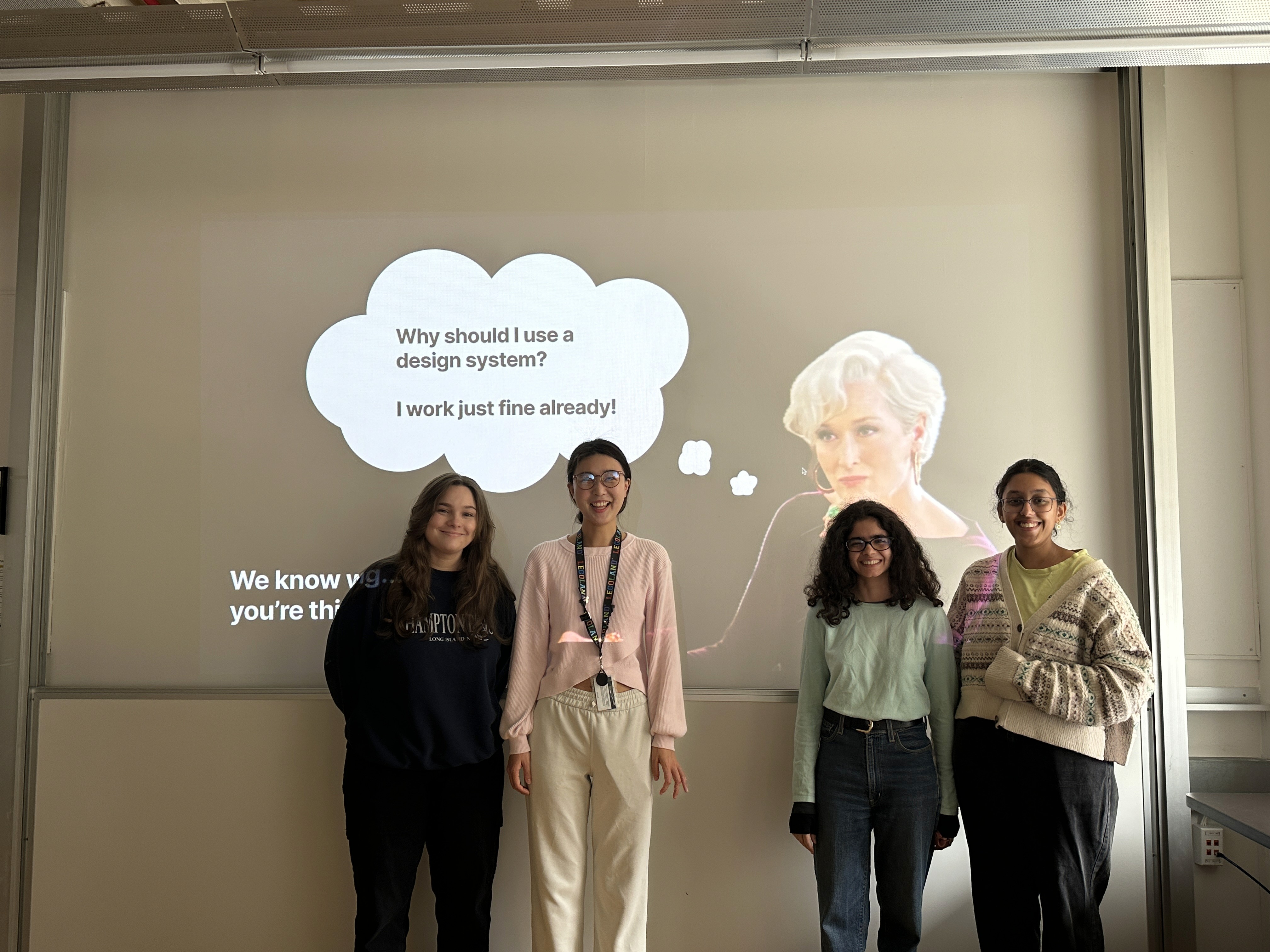
We loved creating Action. But what's the point of a design system that no one uses? Pitching Action to mock stakeholders allowed us to really make our case and tell people that Action
Enables even small teams of designers and developers to quickly create accessible and brand adherent designs
This allows the company to push out designs quickly and save costs
It also creates a pleasant intuitive user experience that is accessible to many audiences and loved by all
Thereby bringing in more customers and growing the business again
Reflections
The role of UX Research in Design Systems
This project really made me think about the role of UX Research in design systems. The usability testing, catering to the end users of the system itself, and so on. It does beg the question- what role does UX research and UX researchers play in the space of design systems?
The different users in different realms
There are elements of service design to account for in this ecosystem. We didn't get to test our system with developers, but what would that look like. I would want to know. I would also want to assess how the design system could ultimately translate to end user experiences.
Copyright © 2026 Krishna Kishore Lal