Evaluating and Enhancing the Usability and Effectiveness of the Pratt Libraries’ Zines Research Guide
CLIENT
Pratt Libraries
TEAM
Mengqi Cao
Roshni Ganesh
Krishna Kishore Lal
DURATION
6 Weeks
MY ROLE
Research Planning, Task Writing,
Moderated Usability Testing, UX Design
Context
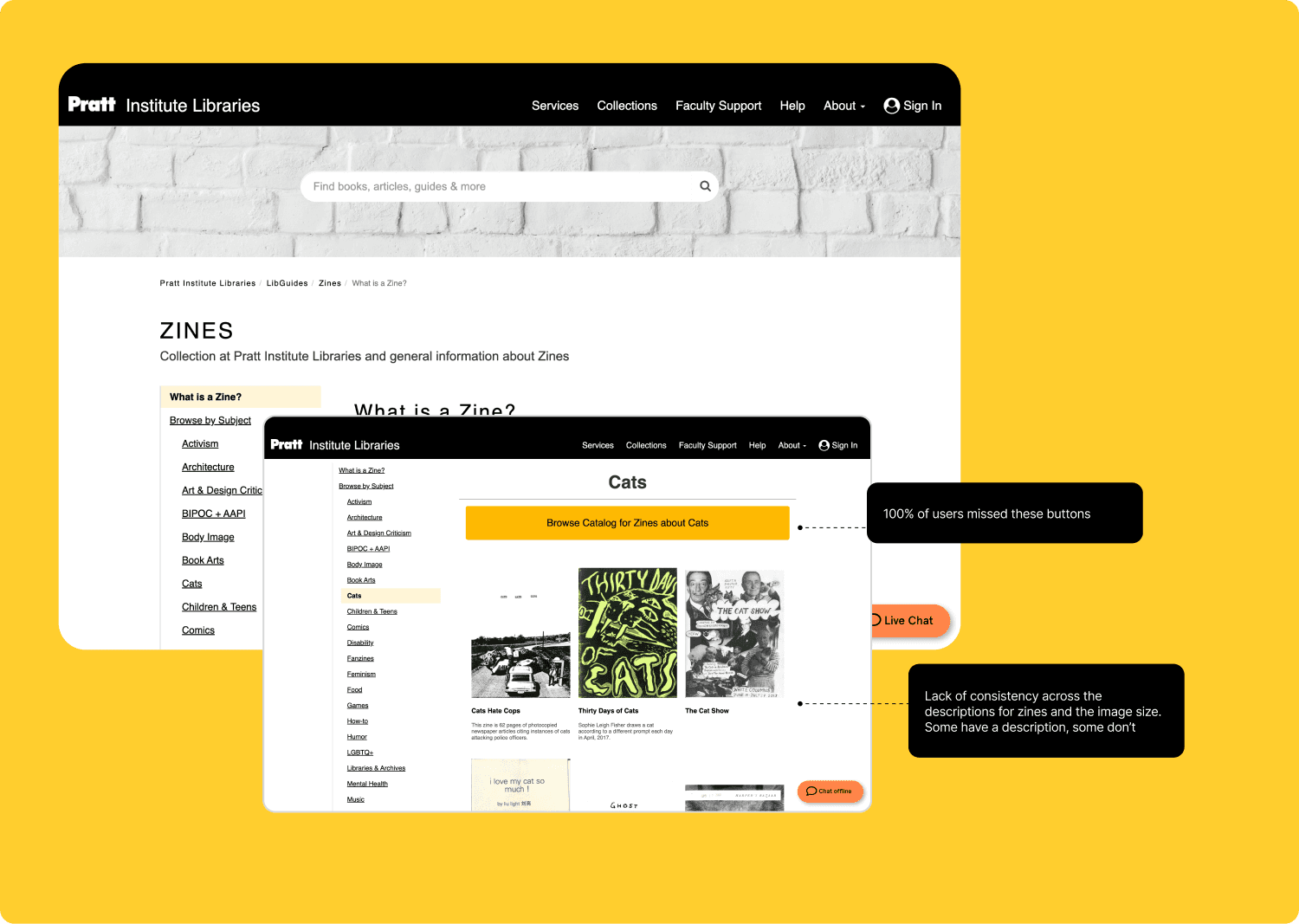
Zines are a very visual medium, as is the experience of browsing them in-person. Pratt Libraries recently created a Zines Research Guide on their website that is built to replicate the visual experience of browsing zines in the digital space. Through a 6-week project, we conducted moderated usability testing with users, attempting to garner feedback on the Zines Research Guide and understand where and how it can be improved.
We started by scoping out the research and designing a study to meet the client's needs. We honed in on these research questions
What are users’ needs and expectations when browsing zines?
How do users feel about the different features and pages of the research guide, especially the Browse Random page?
How can the browsing experience and currently available features be improved?
What possible new features might be valuable to users?
Recruitment and Testing
We conducted moderated usability testing with 6 users on the Zines Research Guide. We designed a screener to recruit participants to match our target profile
Target User Profile
Pratt Institute Student
Self-reported familiarity with zines
Studying library science or communication design, or a 1st year undergraduate (given their work with libguides and zines)
Final Sample

Given our research questions, we crafted the following tasks to ask our users
General Questions
Eg: Can you walk me through the last time you browsed or engaged with zines (in any context)?
Where were you? What were you looking for? What was the experience like?
How do users feel about the different features and pages of the research guide, especially the Browse Random page?
Eg: Take 1–2 minutes to explore the page. As you browse, tell me what stands out, what you think you can do here, and any confusing elements.
What do you think this page is for?
Is anything unclear or unexpected?
Experience on the Browse Random Page and its motion user experience
Eg: Now, let’s assume that you want to find a zine, but you don’t have anything specific in mind. You’d like to just explore zines. How would you go about this?
Making sense of the categories and classification of zines
Eg: Imagine you’re working on a class assignment or personal project where you need to explore zines on a specific theme, say “Activism” or “Feminism.” You're curious to see what Pratt’s Zines Collection has to offer and want to browse through some zines to either get inspired or find something relevant.
Navigate to the relevant subject of interest.
Where would you go to start looking?
Upon analyzing our findings, here's what we know about worked well
83% of users loved the idea of the Browse Random page, citing that it does encapsulate and the replicate the in-person experience of browsing for zines
100% of users loved being able to see the cover images of the zines
83% of users said that the content does a fairly good job of meeting what they expect from a research guide
We noted the following usability issues and make corresponding recommendations that account for the technical limitations with Springshare's LibGuides product
Finding 1: Unclear UX Copy and Visual Design Inconsistencies Hinder Users from Completing Key Tasks
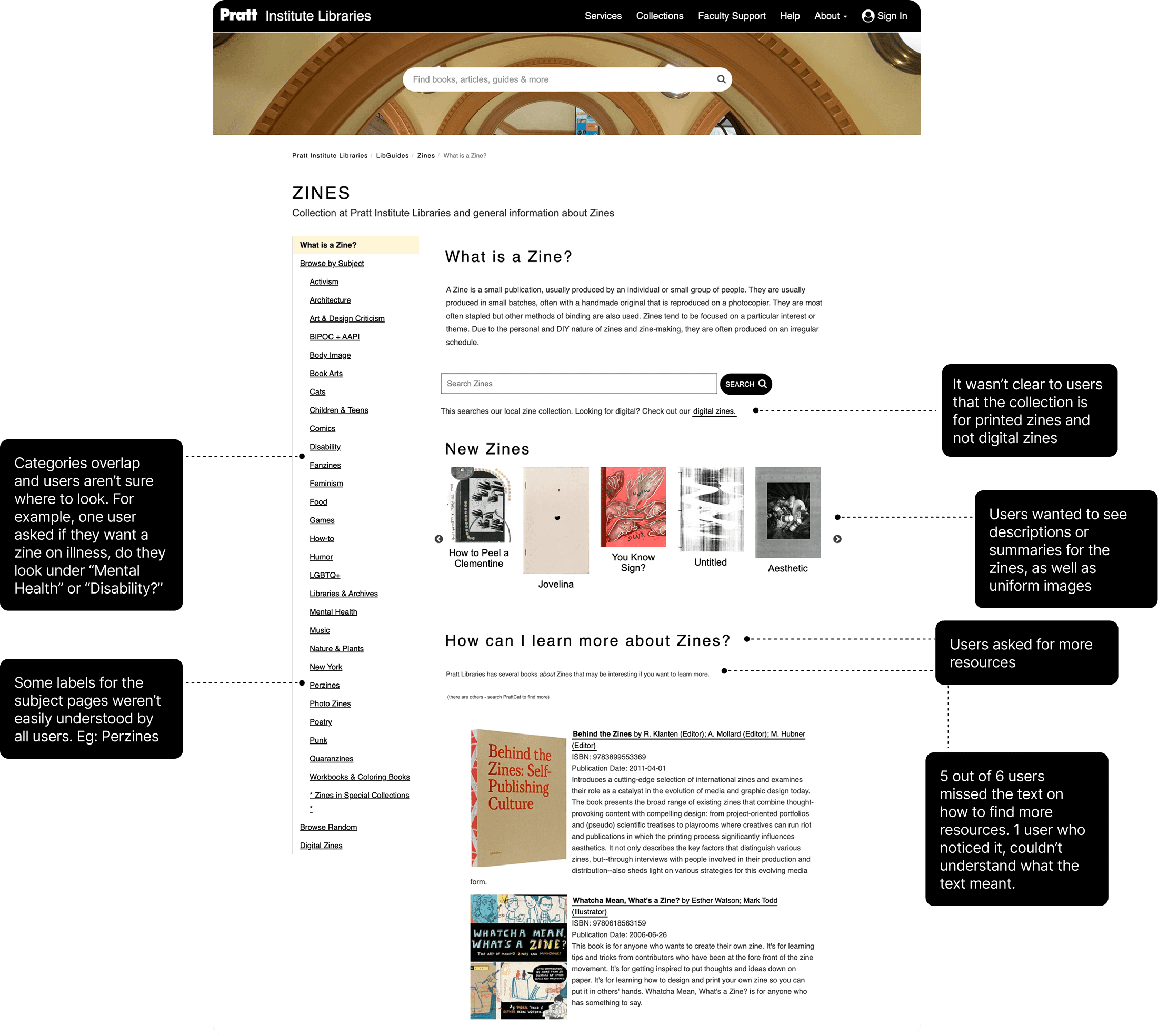
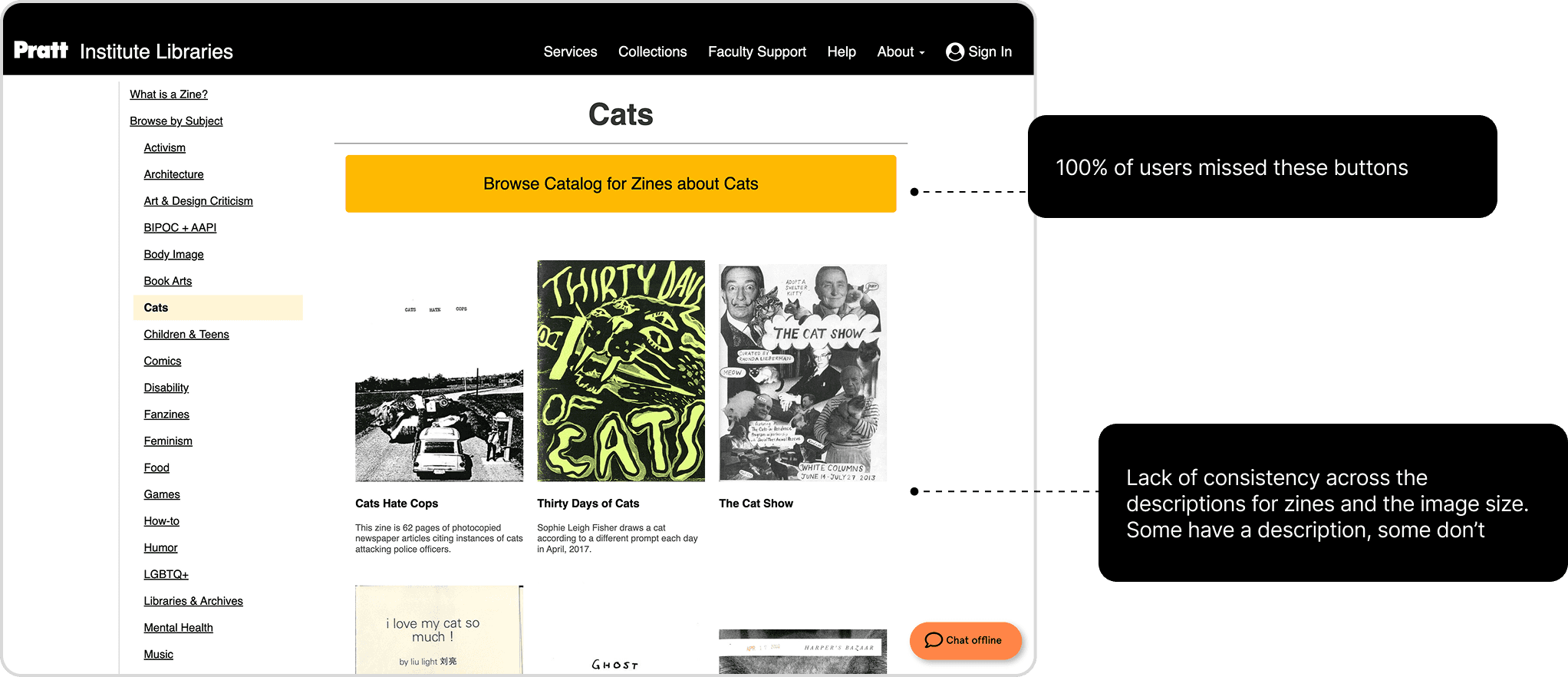
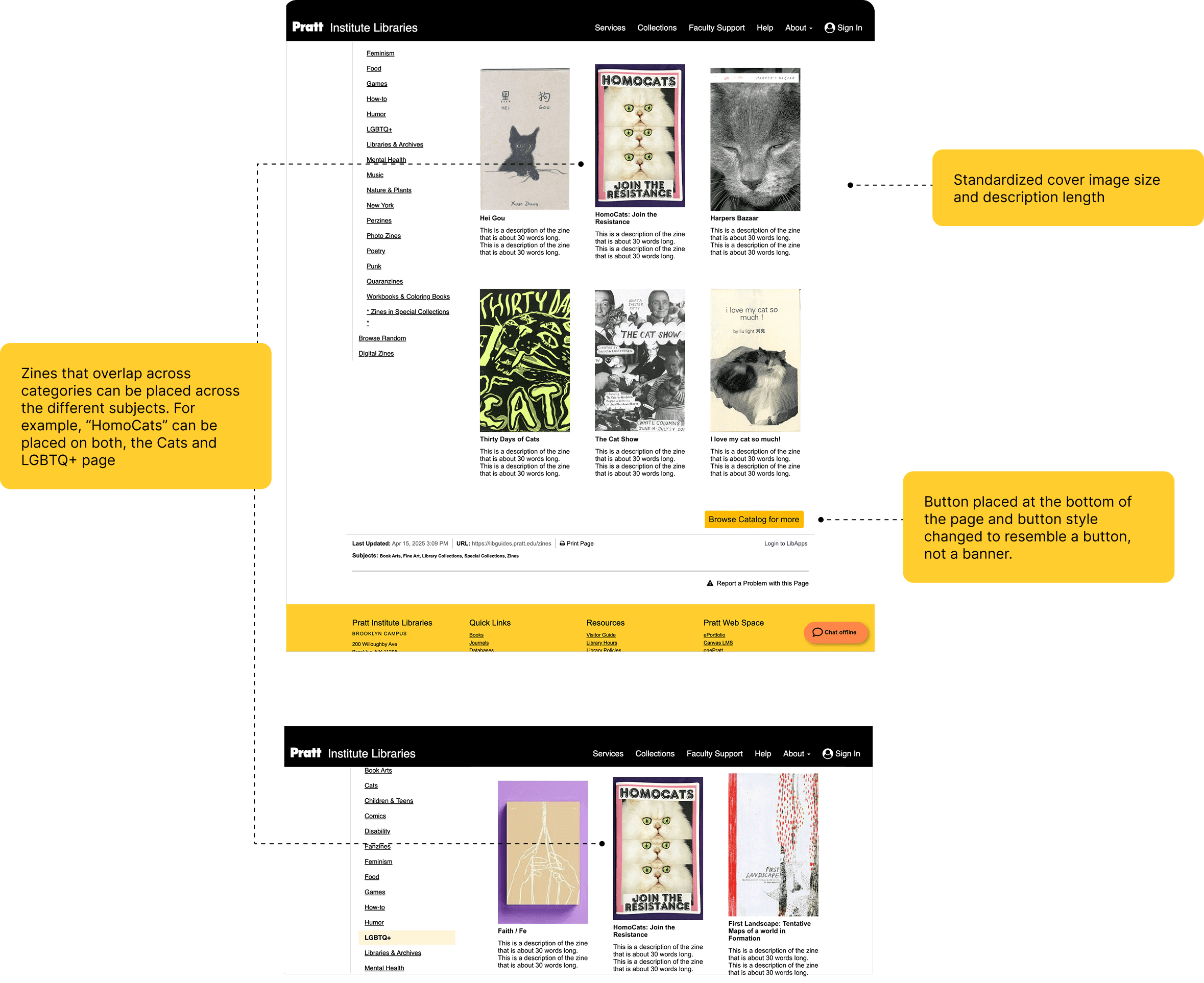
There are gaps in the content and UX copy, as well as visual design inconsistencies which hinder users from completing key tasks. The subject categories aren’t accessible, and users aren’t able to discern with ease that the zines collection is for printed zines, not digital ones. Additionally, there were other UX copy challenges wherein the language wasn’t accessible to all kinds of users, and the description lengths for the zines were inconsistent. On the visual design front, the copy was missed by users due to inaccessible font sizes. Buttons don’t follow UI design guidelines, thereby resembling banners, which led to users missing them.
100% of users reported confusion about or missing the UX copy in at least 2 areas
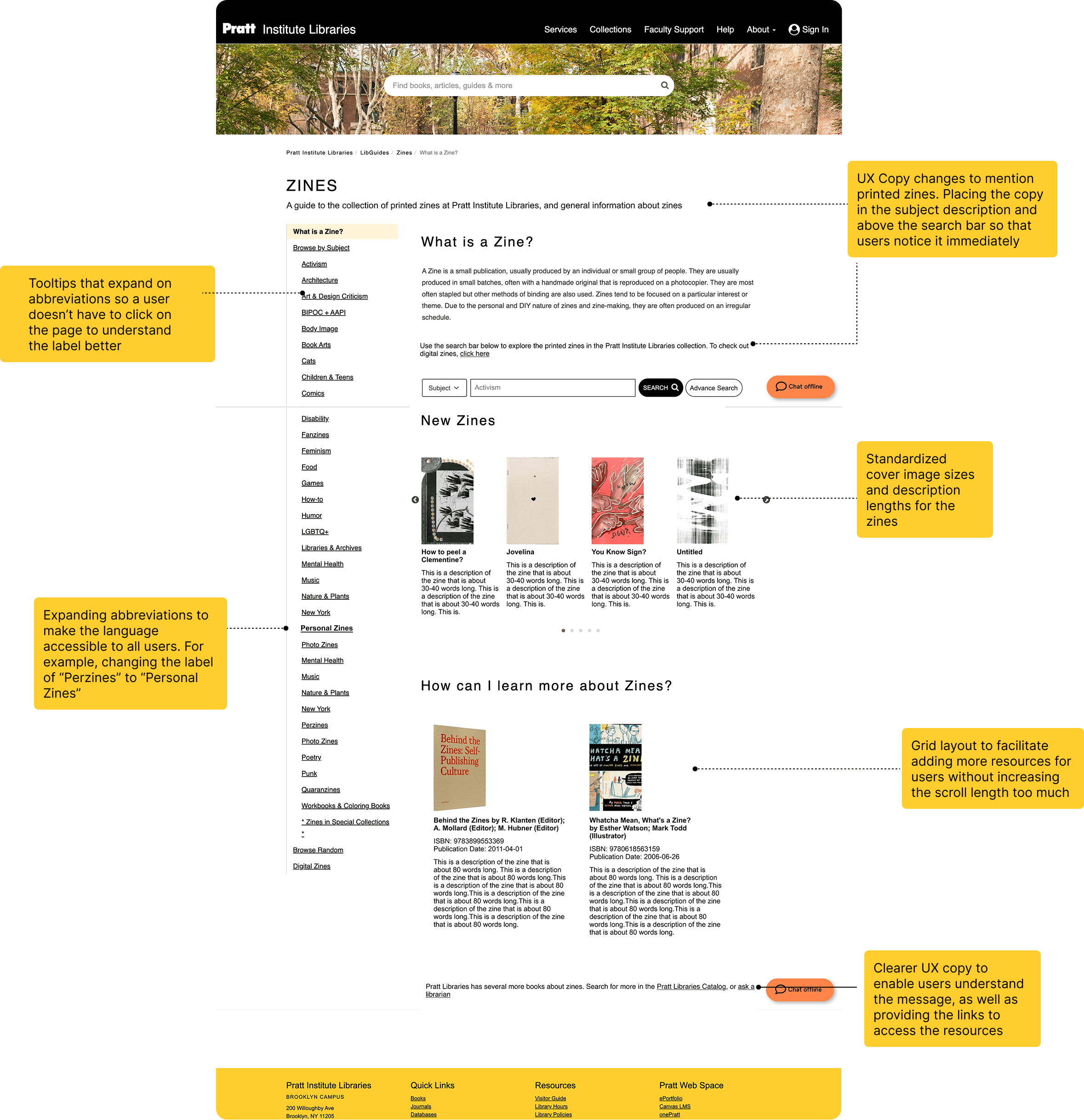
Recommended Solution: Improving the UX Copy and establishing a uniform visual design
We propose overall changes in the UX copy to make the language clear and accessible, as well as improving the typographic hierarchy. We also propose the addition of standard image sizes, description lengths and improved button design for a more uniform and pleasant user experience.
Finding 2: The experience of searching for zines itself was complicated
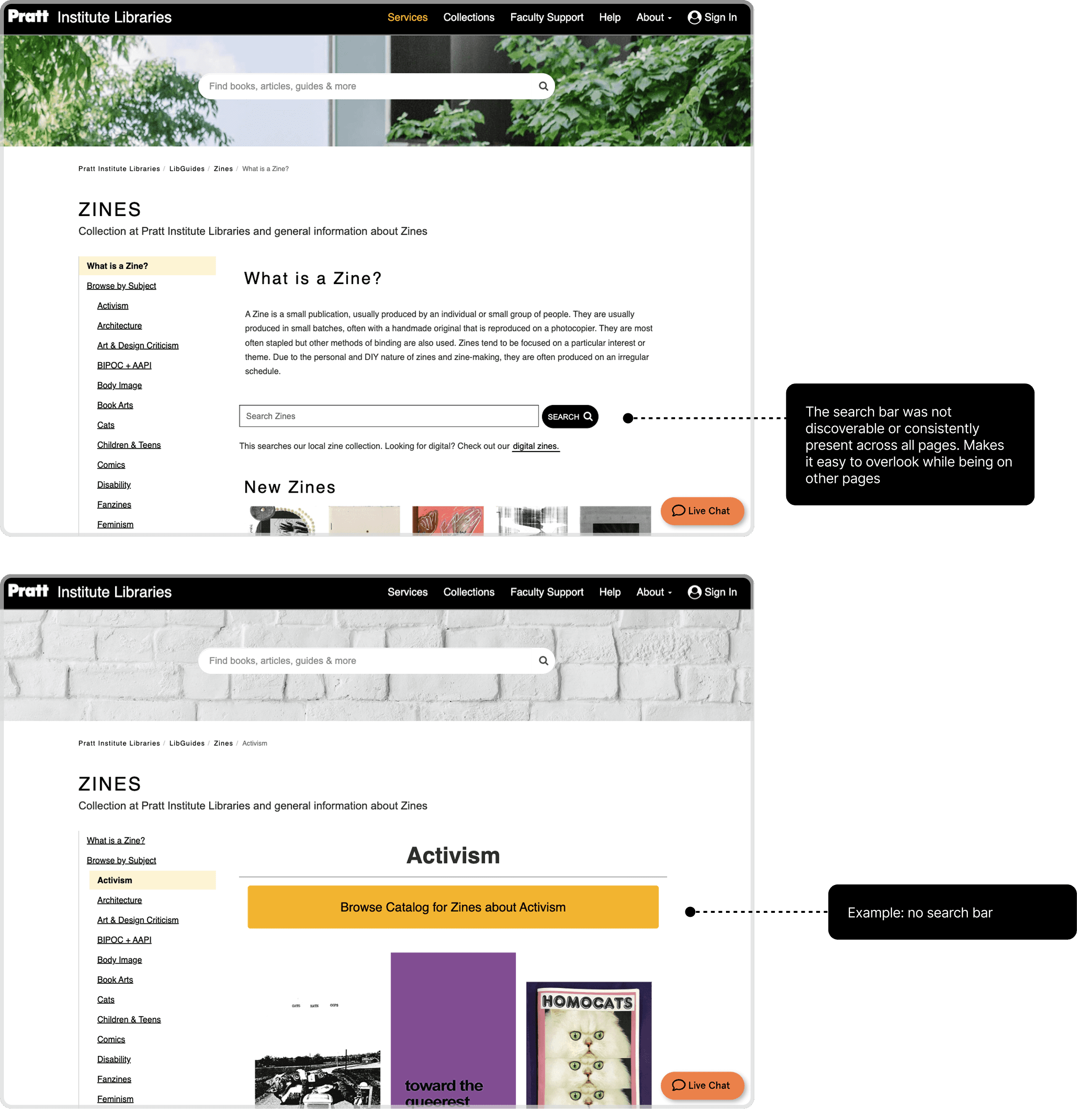
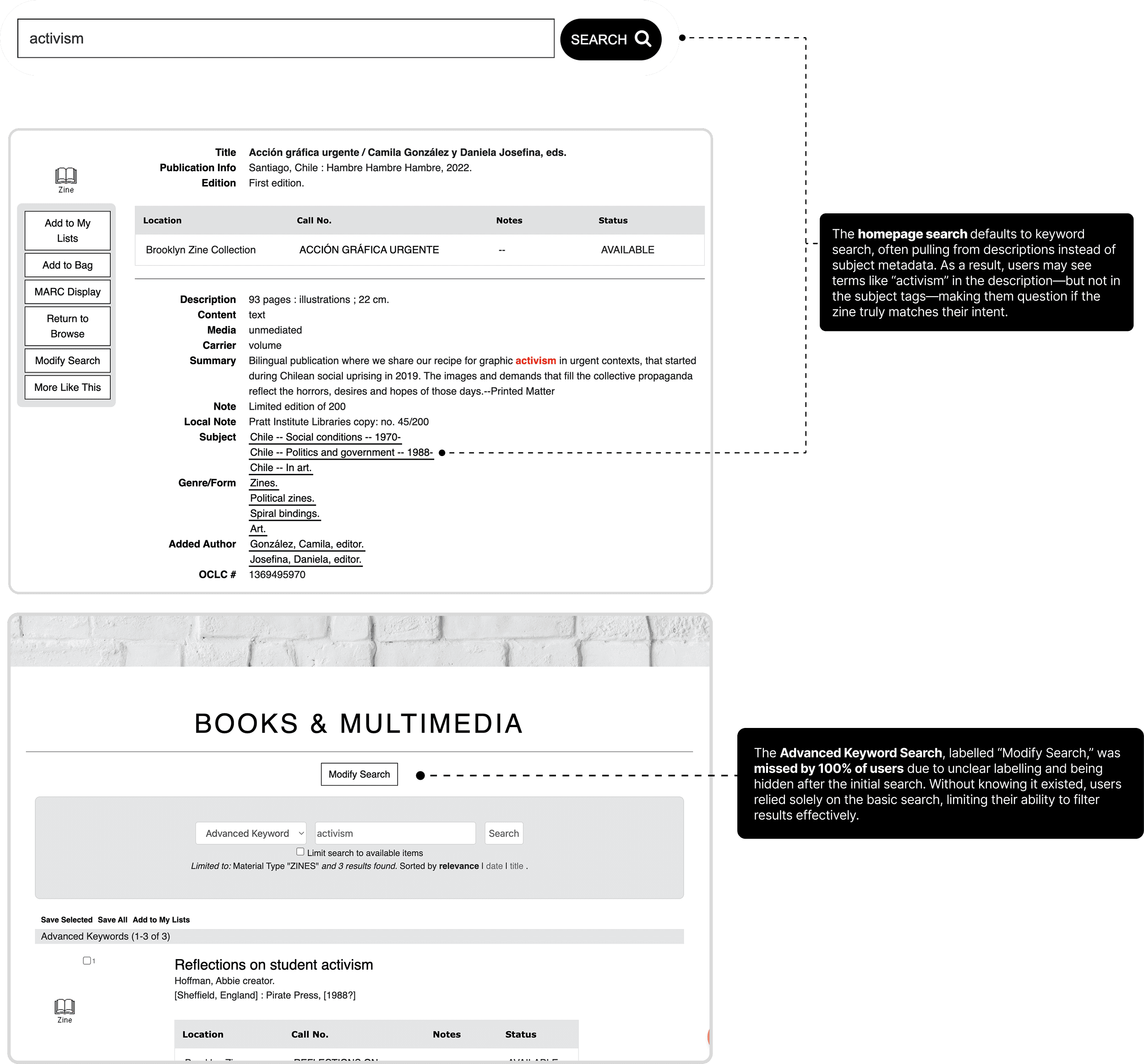
One of the main challenges was that the search bar for the guide is only present on the homepage and not the other pages, thereby restricting users’ flexibility to search with ease. As for the actual search results, they pull up the keyword search results and leave users confused about whether the results even match their intended search.
Recommended Solution: Making the search bar present across all pages and more catered to user needs
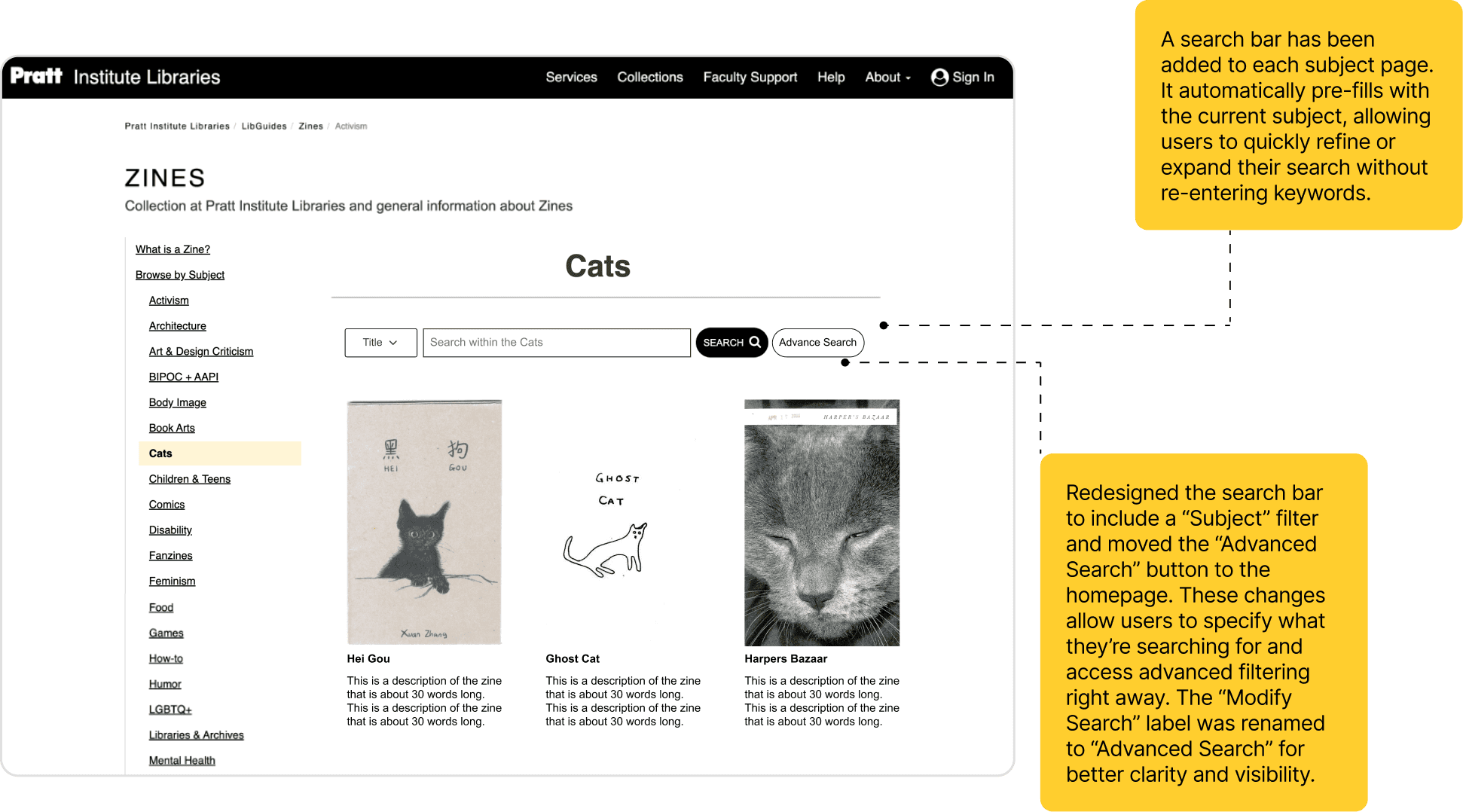
First we recommend having the search bar across all pages of the Zines Research guide and not just the homepage. The search bar within each page can search within that page itself so that users don’t have to enter keywords repeatedly. As for the actual search bar itself, we also propose adding the “Advanced Search” option so that users can avail of that option.
Finding 3: The Browse Random Page was hard to find, and in itself was rather disorienting and unclear
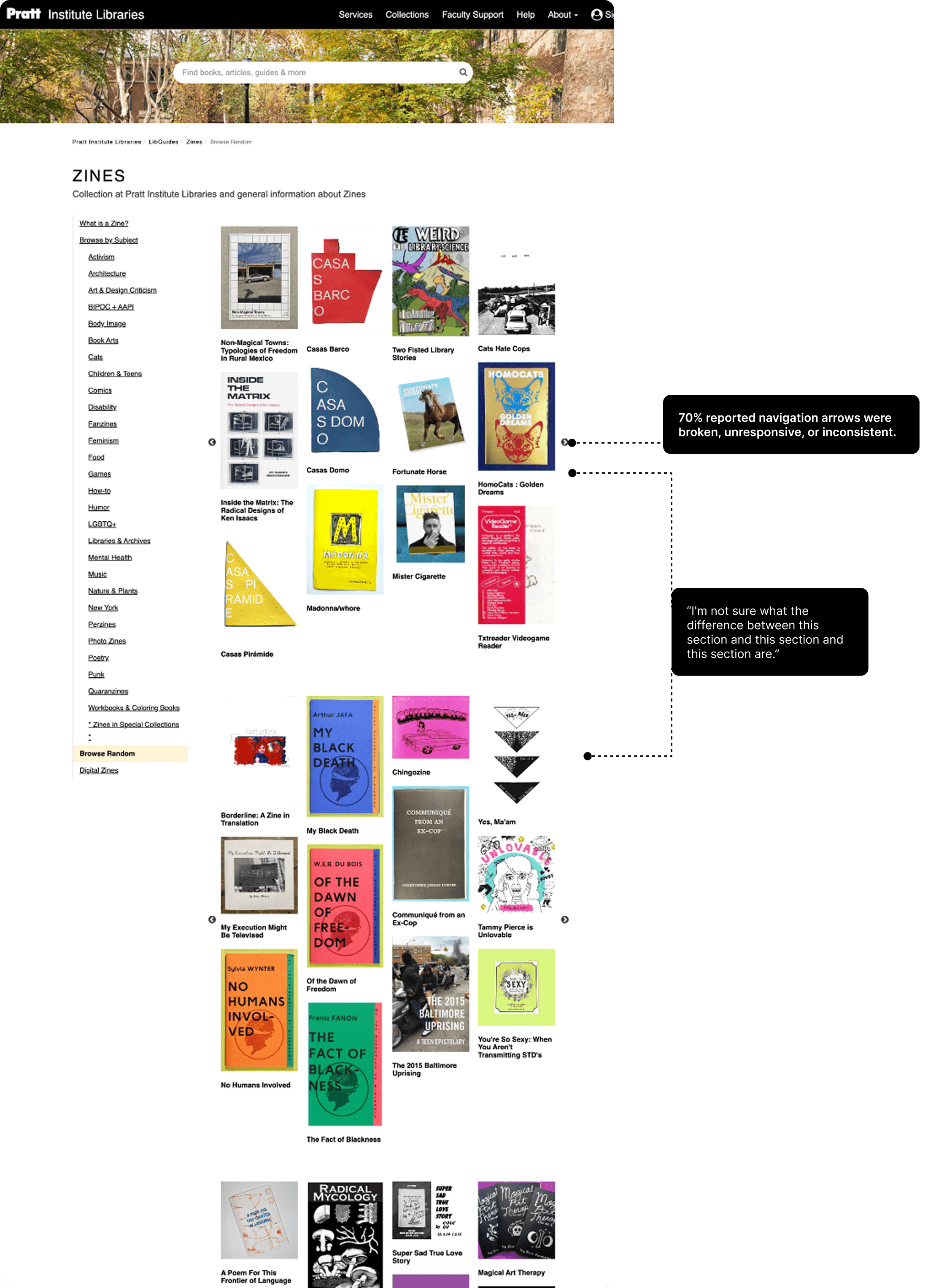
The Browse Random page was designed in a way to mimic the experience of in-person browsing of zines. It features an automatic scrolling carousel of the zines. While users loved the idea of the page, they found it difficult to locate the page and only got there after being nudged. Additionally, the automatic scrolling was disorienting for users.
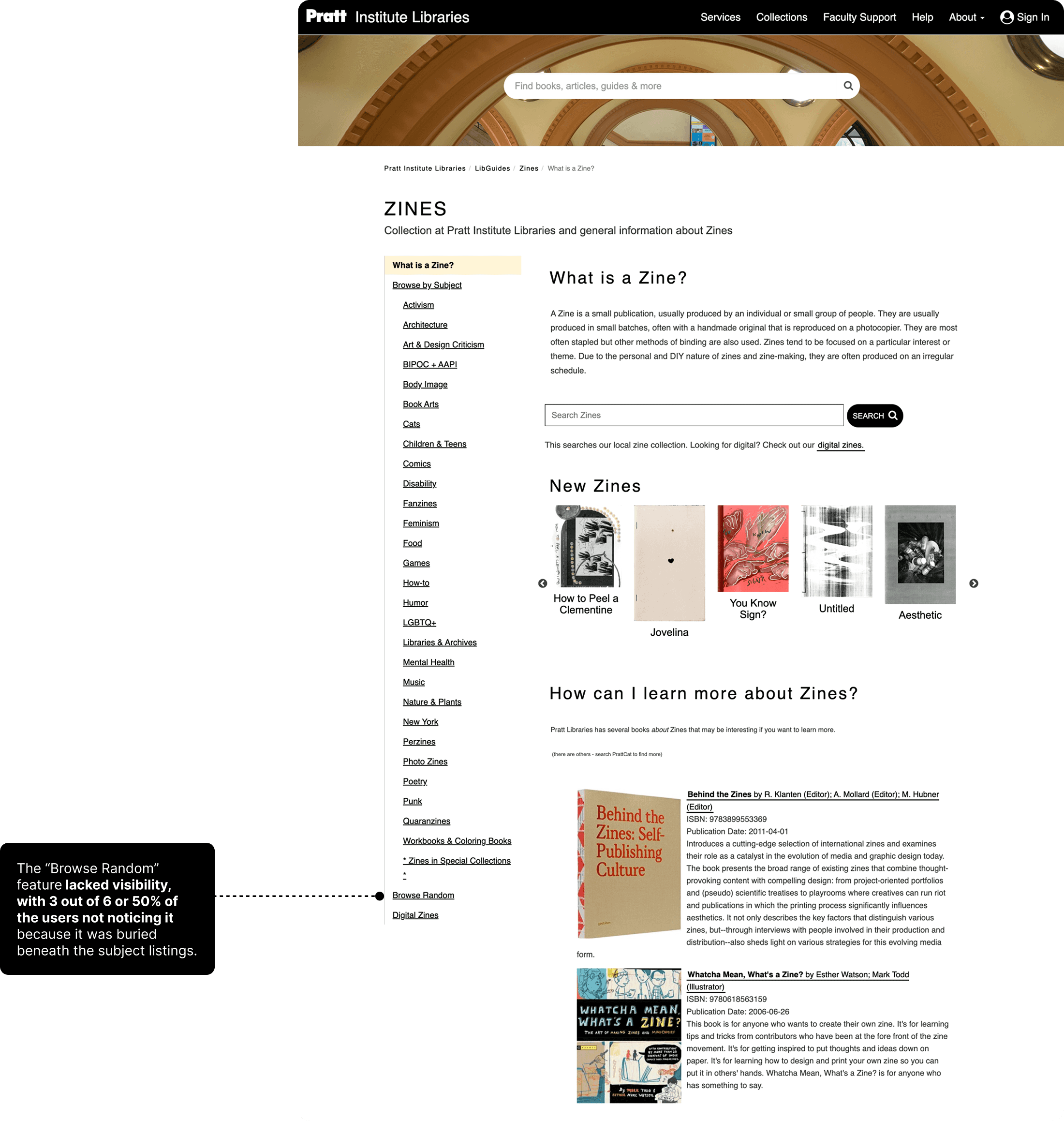
50% of users found the automatic scrolling animation on the Browse Random page disorienting, making it difficult to browse comfortably.

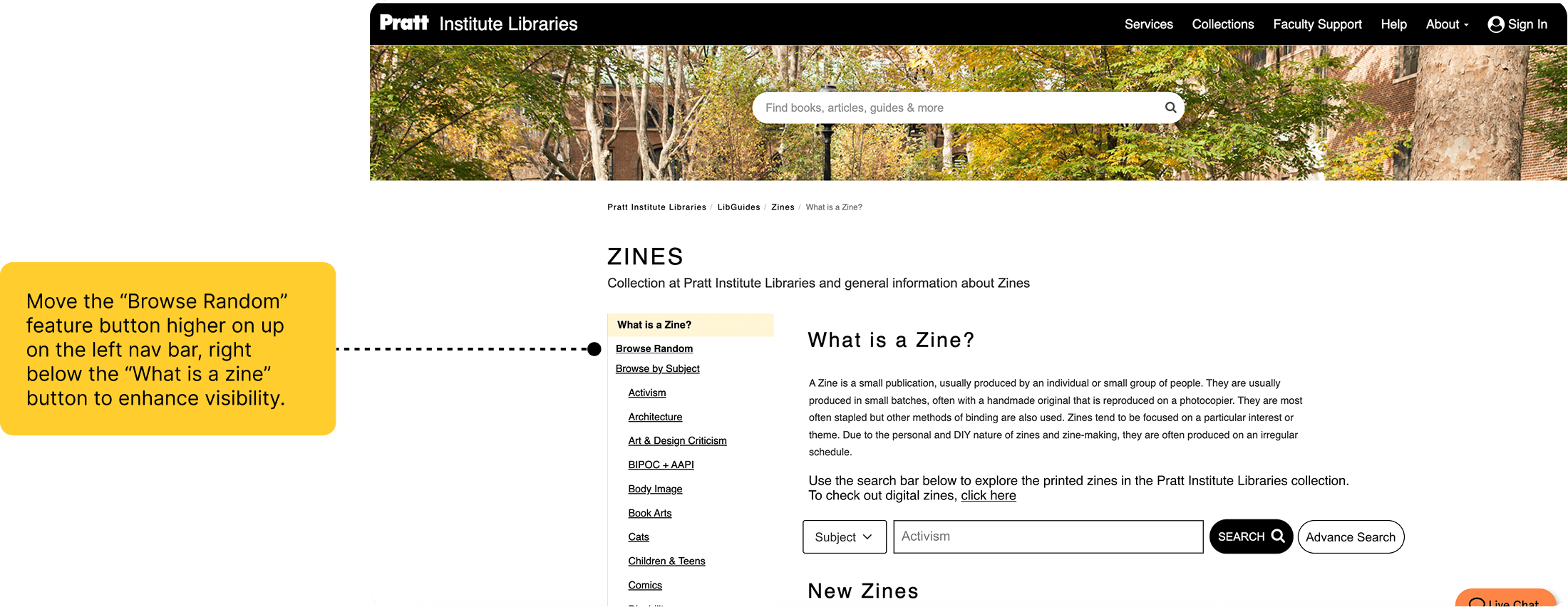
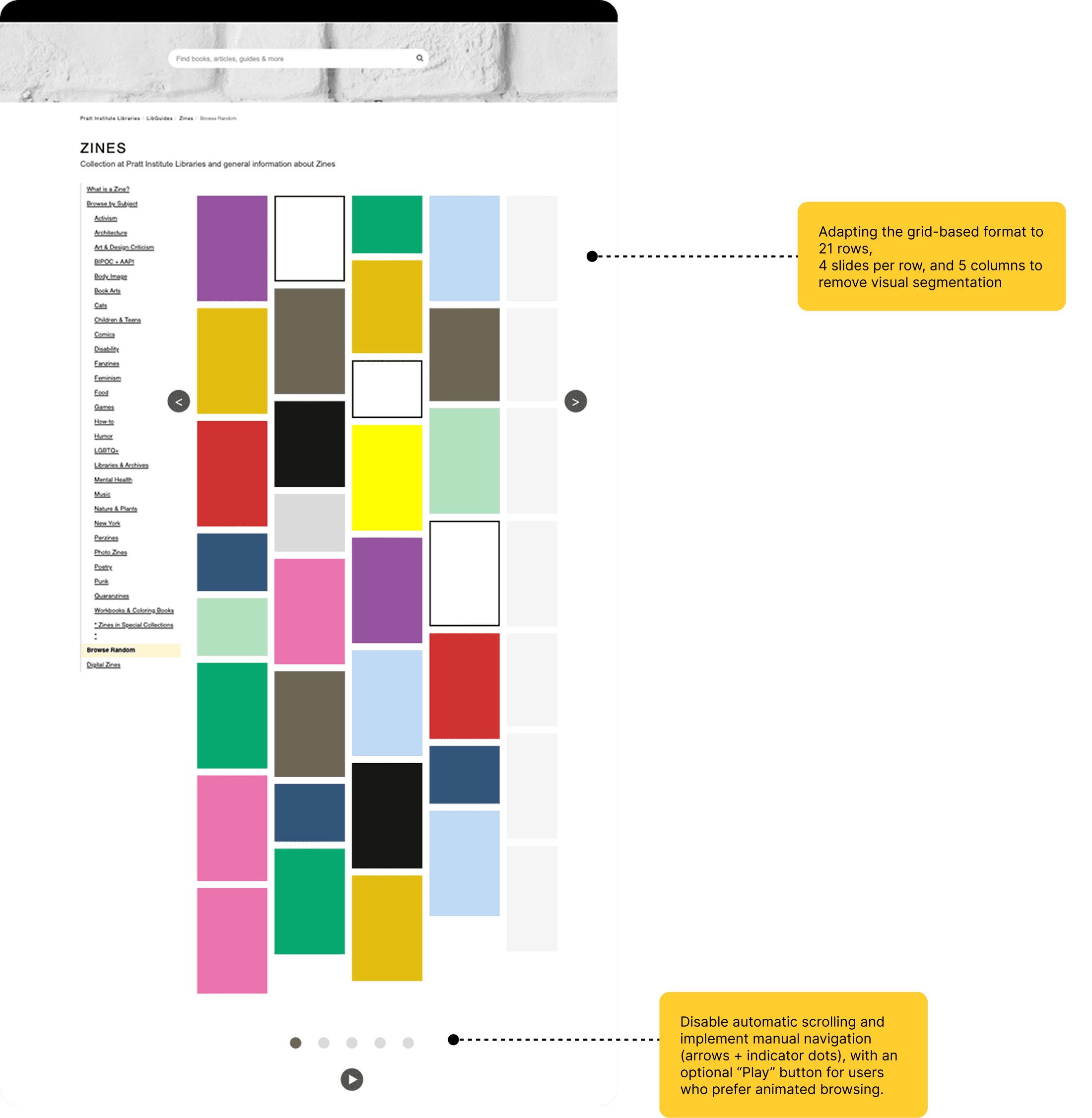
Recommended Solution: Making the Browse Random page visible, and creating a uniform and static layout
First, we propose moving the Browse Random page to the top of sidebar navigation so that it is immediately visible to users. Additionally, we proposed a new layout for the page so that the zines can still be viewed, but without a disorienting scroll.
Client Feedback
Our clients loved our work! We delivered our final pitch showcasing all our work and answering all their questions. They said that they were so glad they learned about these findings and they hadn’t expected any most of the responses. It was deeply insightful for them to have learned how users felt about the guide. They also told us that we did a great job of understanding the technical constraints of LibGuides and proposed solutions which were feasible and possible to make with the Springshare platform. Here’s the detailed report we put together.
Takeaways
Getting creative with technical constraints
Usability isn’t just about solutions. It’s about proposing solutions that clients can adopt and incorporate into existing platforms. This project really exercised my creativity, teaching me to propose solutions which are in fact possible, and not just ideas up in the air
Content and copy matters
UX writing and the placement of information is a critical aspect of a user’s experience. Language accounts for a huge chunk of how users process information, and prioritizing it can make or break an experience.
Future Steps
While our project ended here, we recommended our clients also look into the catalog page and the user flows completed there after being directed from the zines research guide.
Copyright © 2026 Krishna Kishore Lal