Using Eye Tracking and User Research to Improve Conversions for the Hooked on Phonics Shop
CLIENT
Hooked on Phonics
TEAM
Joanne Li
Maanya Agarwal
Krishna Kishore Lal
DURATION
2 Months
TOOLS USED
Tobii Software, VWO Analytics, Figma, G-Suite, Zoom
CONTEXT
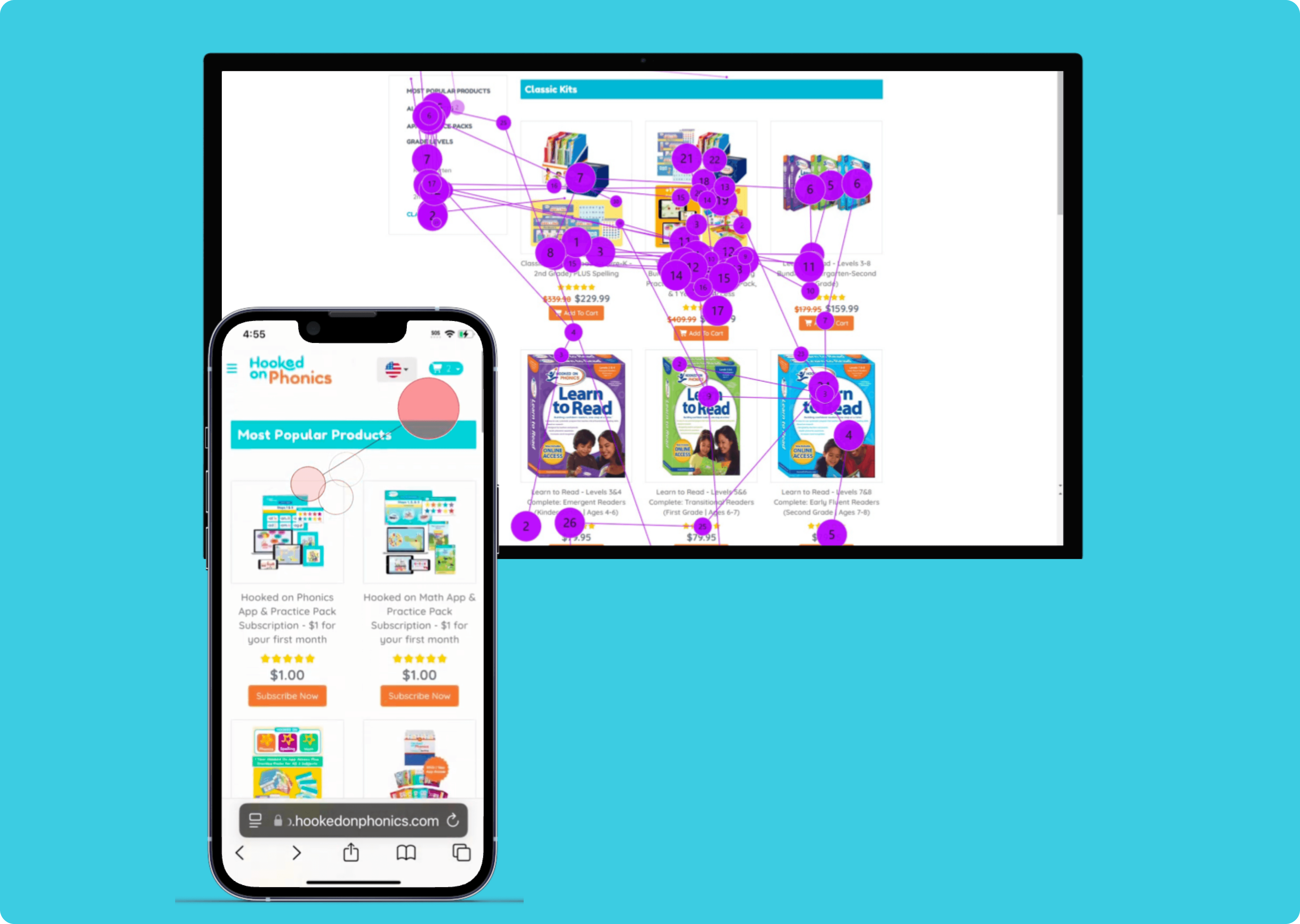
Hooked on Phonics is a company that develops educational material to teach children reading, spelling, maths and more. The current shop page of their website is outdated and they were looking for valuable insights to inform a redesign of the shop page. Through an eye tracking study, we examined how users explore the shop page, find specific products and evaluate and compare the products. Combining data from the eye tracking, user interviews and VWO analytics, we provided the team with key usability issues we identified and low effort high impact solutions to address the identified issues.
MY ROLE
I worked on scoping out the research plan, designing tasks for the eye tracking sessions, conducting and moderating eye-tracking sessions, analyzing the data from all sources and designing recommendations.
Please note that due to an NDA, I have not disclosed some information, especially on the analytics data front.
The Goals
Hooked on Phonics wanted to revamp their shop page to enable better conversions and higher revenue. We set out to identify usability issues and friction points across the user journey on the shop page and aimed to address them. We aimed to
Improve clarity and comprehension of product offerings and communication of product value
Increase trust and more confident decision-making
Increase engagement and improve conversion rates from browsing to purchasing
The Research Plan
With this in mind, we looked at the broader user journey, scoping out the following user goals to focus on
Explore & Browse
How do users explore and understand the range of products, and what are their first impressions of the shop page?
Categorization & Navigation
How do users find a specific product and what do they make of the existing product categorization?
Product Evaluation
How do users compare between two products, learn about the product, and choose one to purchase?
Our Timeline

Methodology
Let's breakdown our sample and our analysis process
Sample of 6 participants
3 mobile studies
3 desktop studies
100% participants shop online at least a few times a month
100% shop for children at least a few times a year
All participants were in their mid 20s or older
The study itself
Giving participants the tasks to complete and tracking their eye movements
Replaying gaze data and asking participants to explain their process - this is a Retrospective Think Aloud (RTA)
Administering a systems usability scale (SUS) survey
The Analysis and triangulating data from all these sources
A rainbow sheet where we tracked the frequency of behavioral patterns across all 6 participants
Affinity mapping all the insights from the user quotes during the RTA
Analyzing eye tracking data such as heat maps, opacity maps, gaze replays, gaze plots etc.
VWO analytics data such as click maps, scroll maps, heat maps, session recordings etc.
Our Findings and Recommendations
So what exactly did we find?
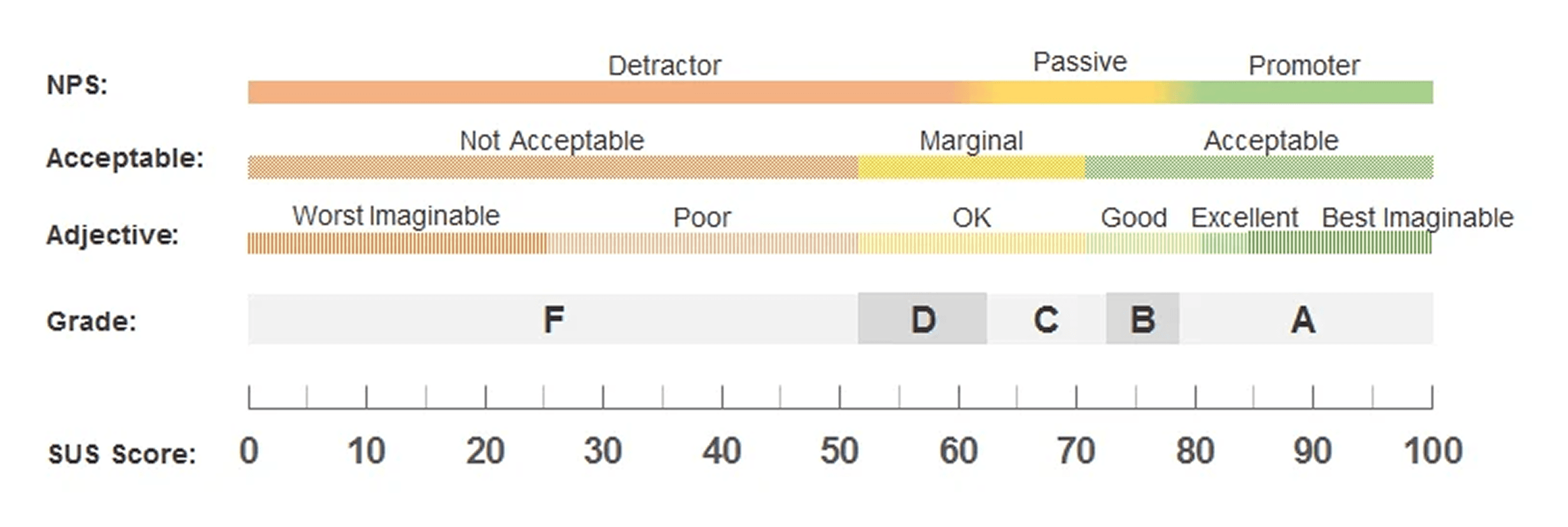
Let's begin with the SUS score. The score across all 6 participants was a 49.2 out of 100. This score is considered an F or a failing grade and means participants found the page difficult to use. It points out an urgent need to address critical issues on the page
But why exactly did participants rate the Hooked on Phonics shop page so low and so difficult to use? Here's what explains the low score
Let's start with the user goal of Explore and Browse
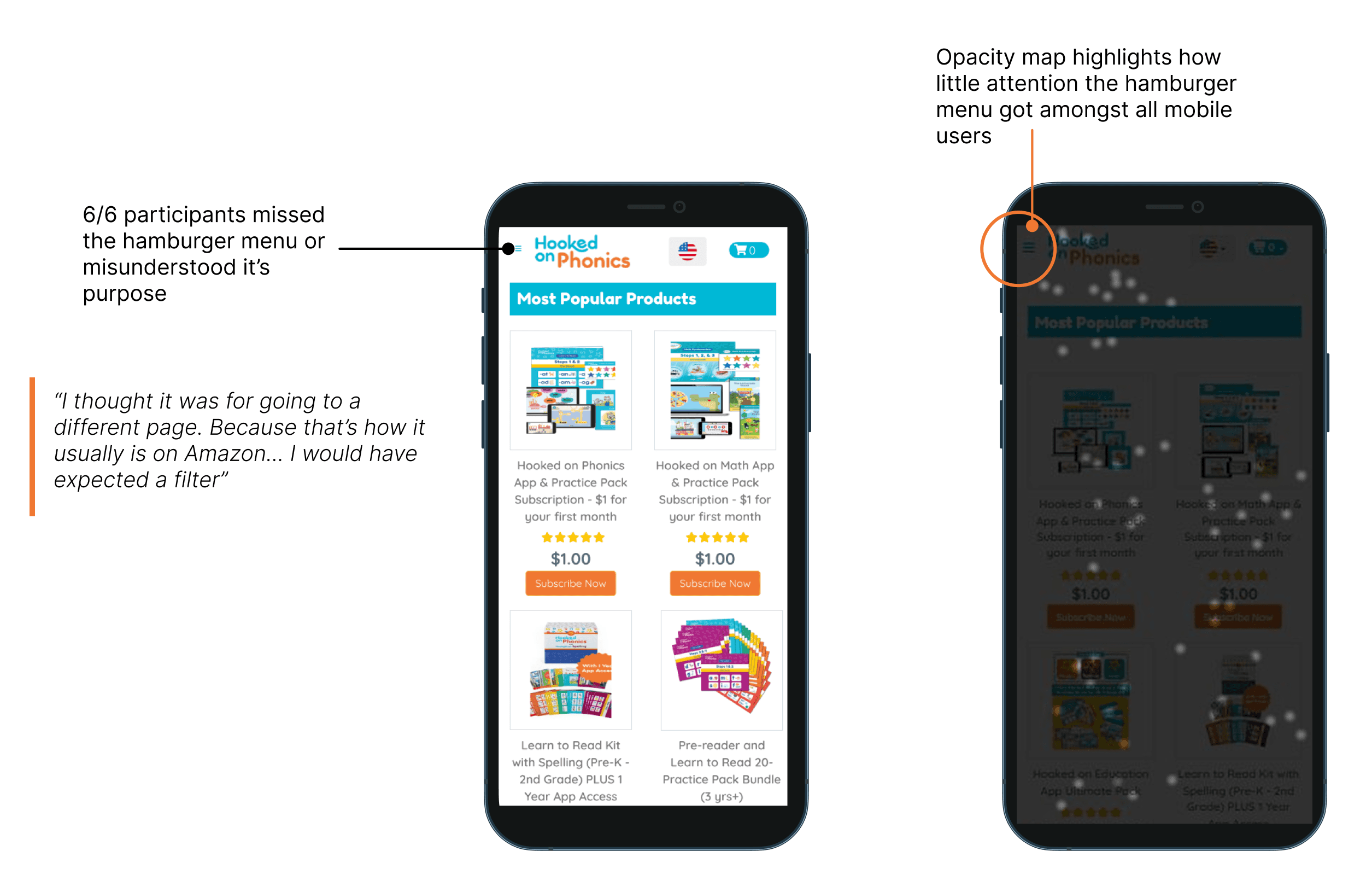
100% users missed the hamburger menu or mistook it's purpose, especially on mobile
Users easily missed the hamburger menu and in order to find products purely relied on scrolling through the page on mobile
Users also looked for the categories or filters in the footer, not expecting that they would be within the hamburger menu
Analytics data also confirmed that for click distribution, only around 10% of clicks were on the hamrburger menu
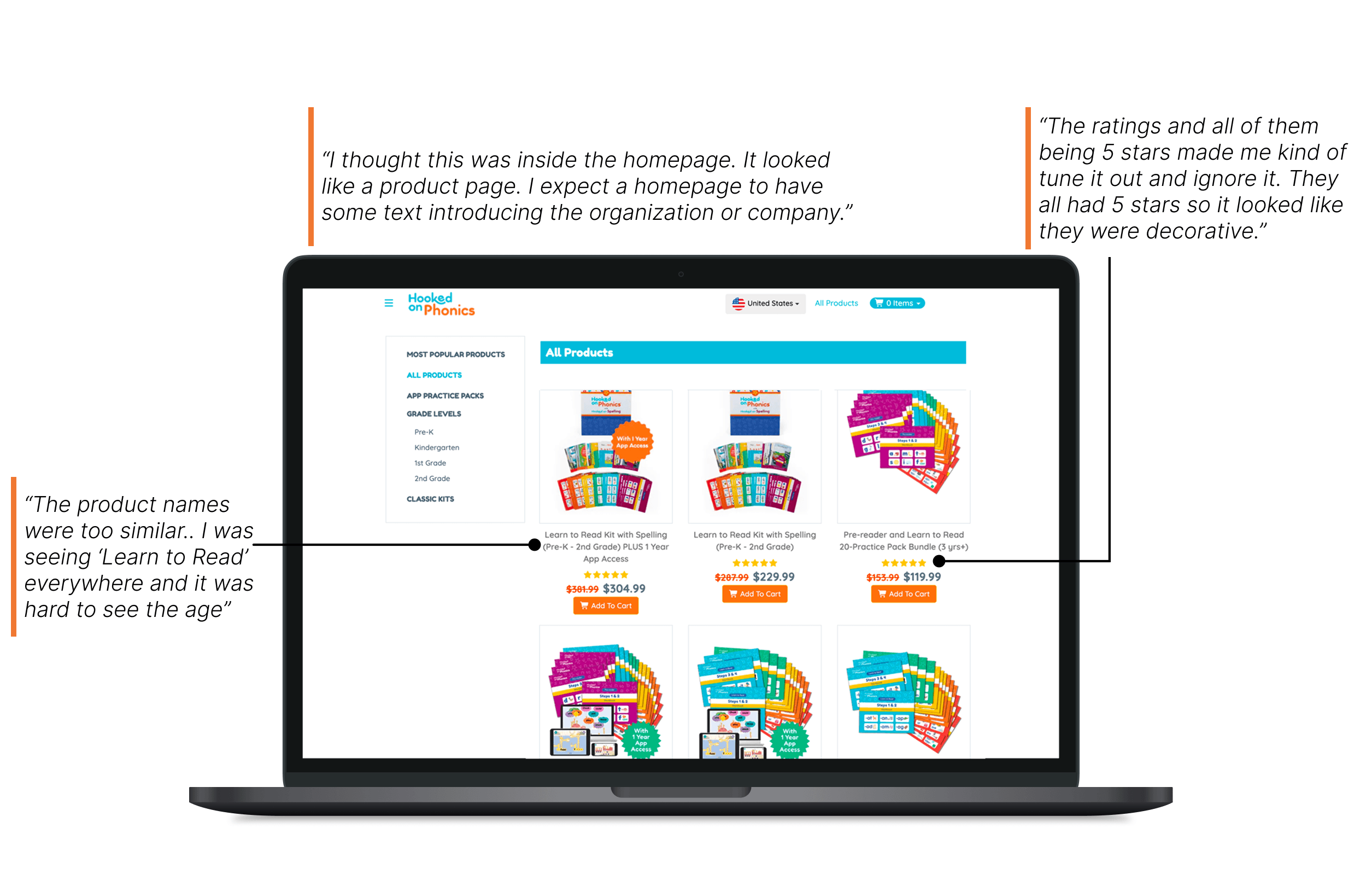
100% users pointed out at least one part of the homepage that confused them and didn't align with their e-commerce expectations
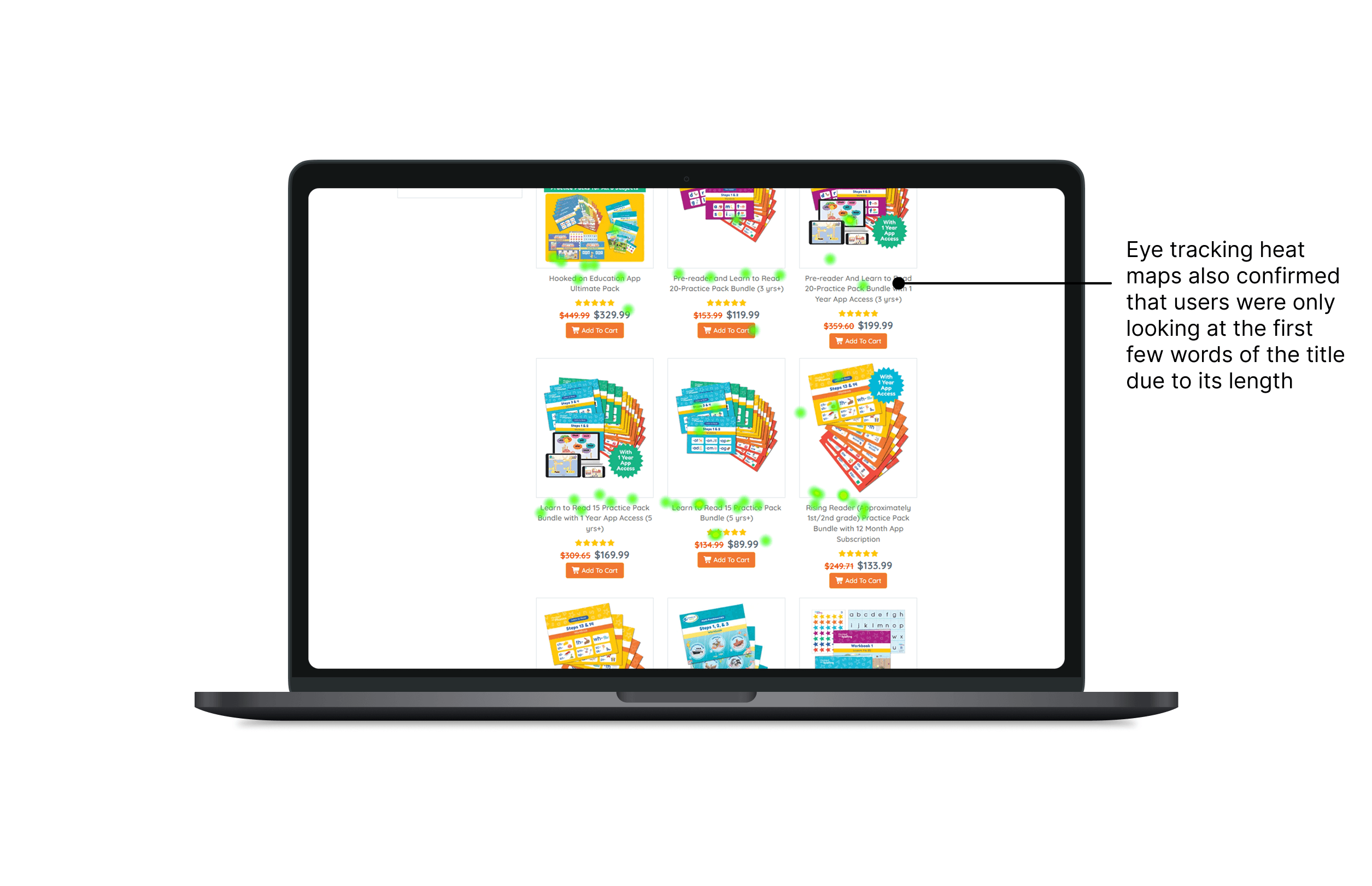
The titles of the product were too long and too similar, making it difficult for users to scan through the page and find what they were looking for
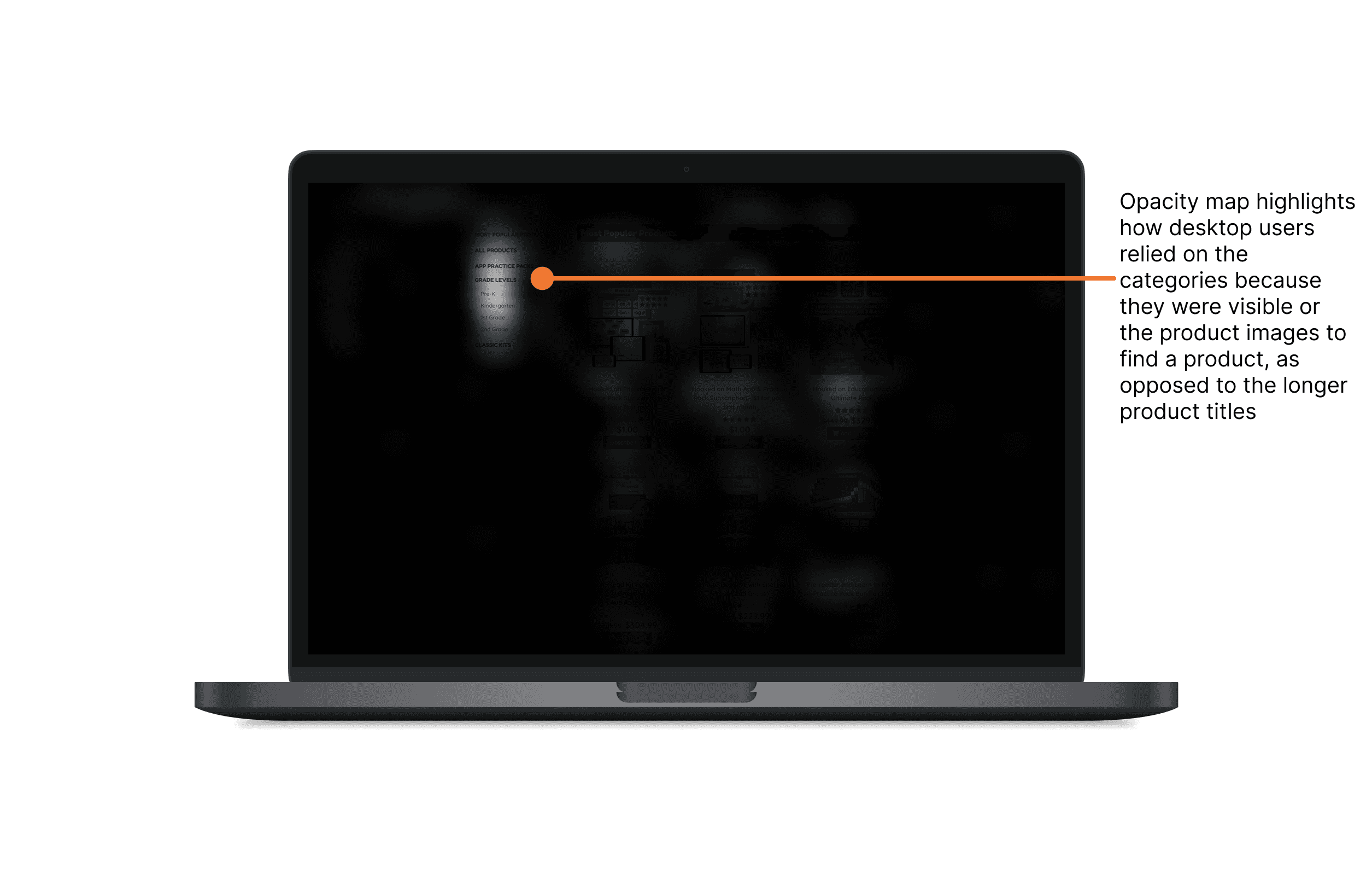
We can also see that desktop users who had the categories visible and not hidden in the hamburger menu relied on the categories or product images as opposed to the lengthy product titles
Users didn't understand that the landing page was the product page. They expected a homepage to introduce the company.
The use of 5 star ratings across every product without any transparency into the reviews seemed suspicious to users
Analytics data also confirmed that users focused on the images as opposed to the long product titles
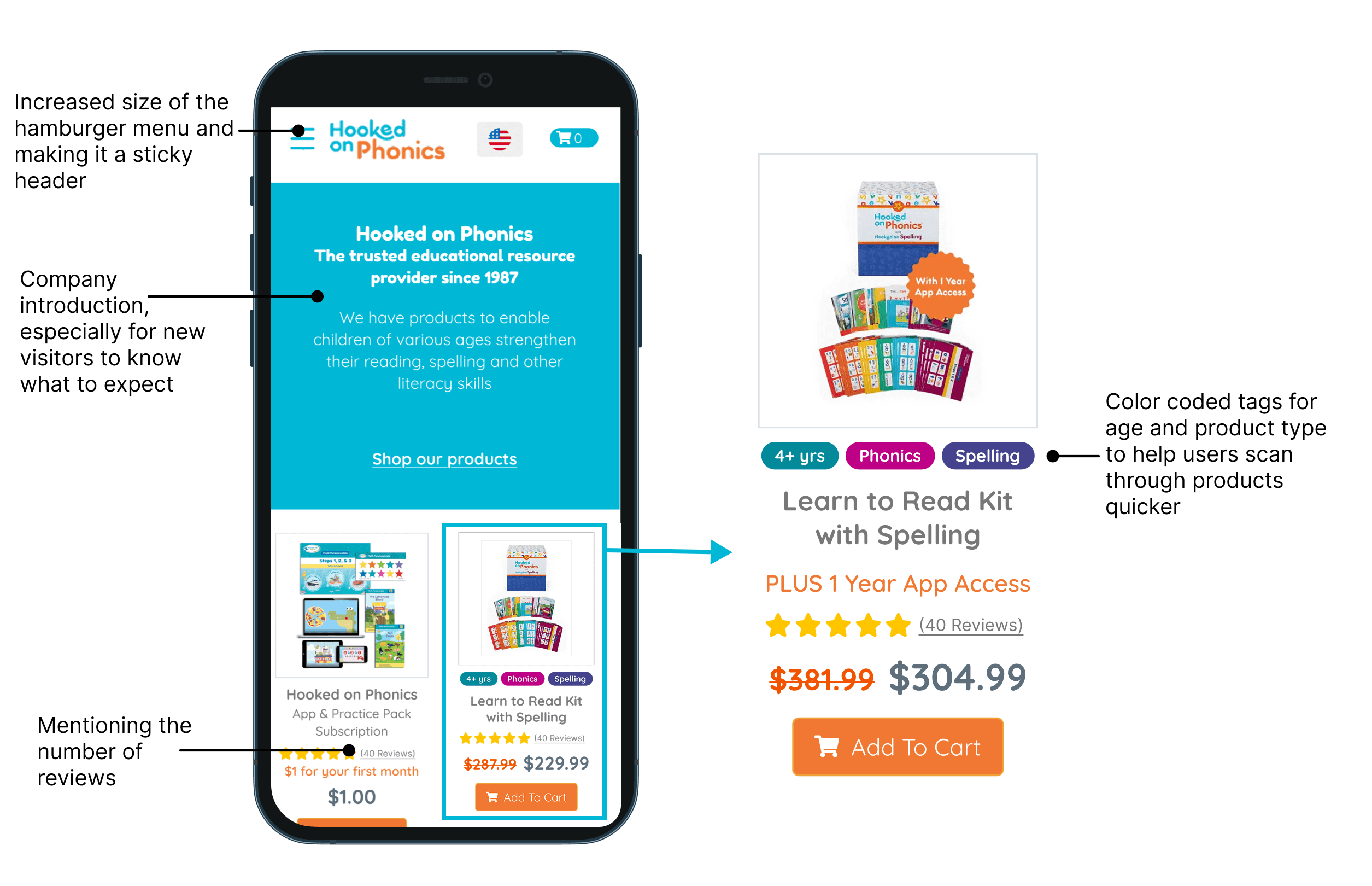
Recommendation: We propose changes to the landing page, improving hierarchy within the product cards, and making changes to the hamburger menu to enable a smoother user experience while browsing through the home page
Making the hamburger menu sticky and increasing its touchpoint to 44 pixels so that it is easily visible, prominent and can be used quickly
An introduction to the company as opposed to directly landing on products
Improving the product cards by adding tags and distinguishing between sections of the title
Moving on to the goal of Categorization and Navigation
Users found that the current product categories were insufficient for navigating to a product, and the categorization between different products was also unclear
5/6 users didn’t notice the difference between the subscriptions based products and one time purchases
The current menu only allows users to search by grade level (kindergarten, 1st grade etc.) and this isn't sufficient enough to find products quickly
From VWO analytics we also found that amongst the already low rate of users who clicked on the hamburger menu, only about 5% of those users clicked on the grade level categories
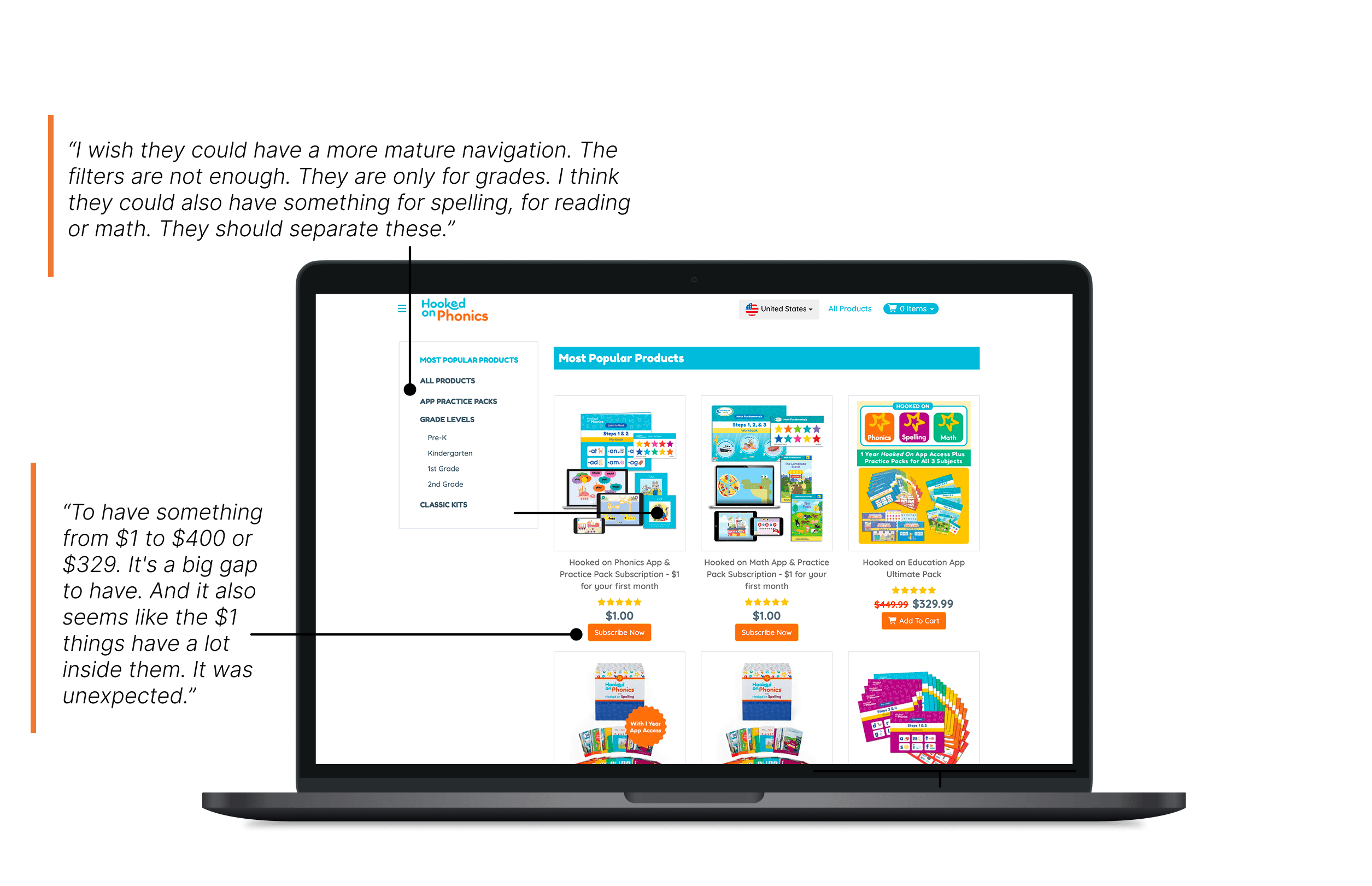
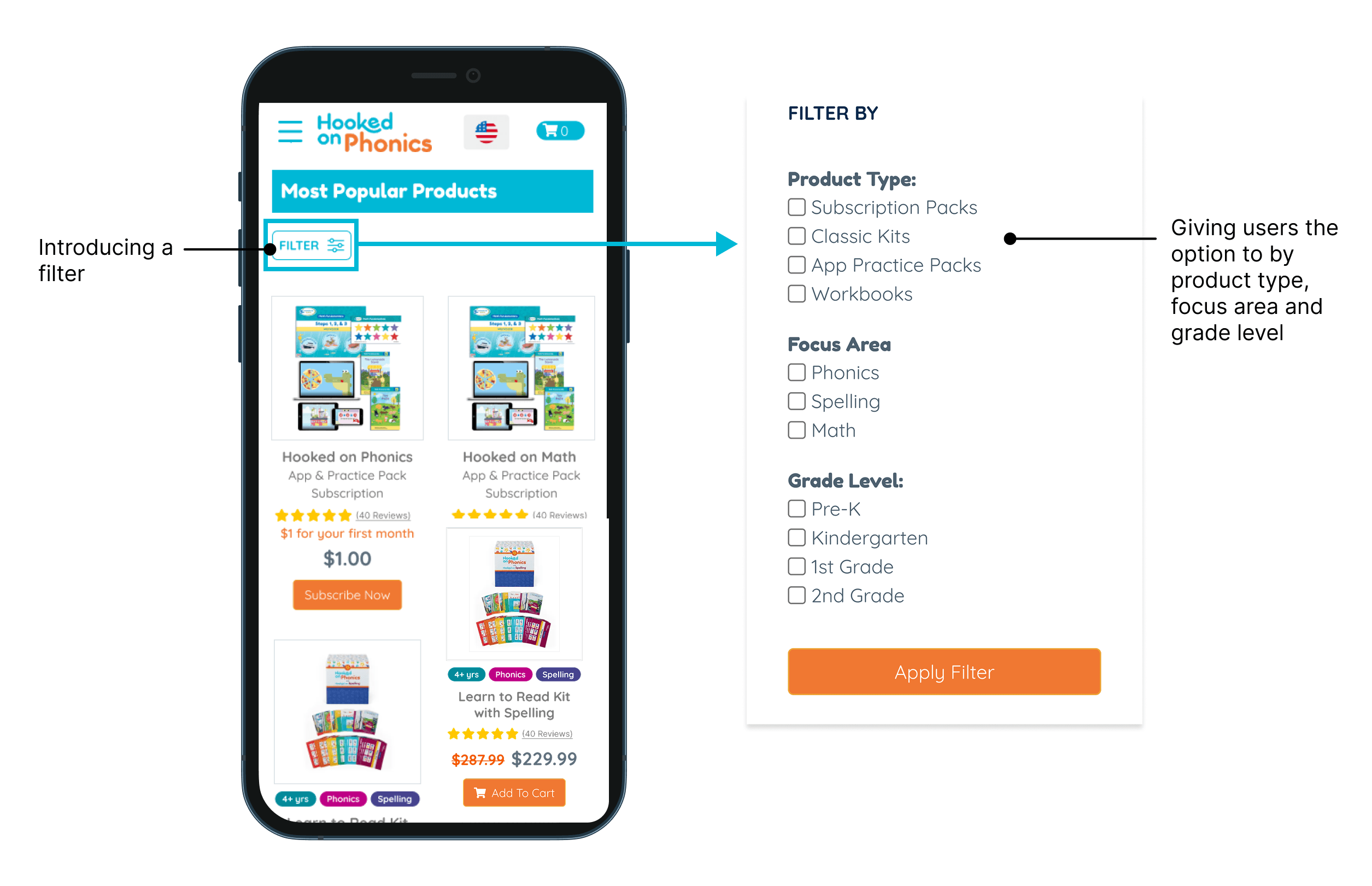
Here's the recommendation we propose: Adding a filter so that users can filter through products beyond just the grade level
Giving users the ability to filter by product type and focus area
With a breakdown in product type, there's also a distinction between subscriptions and one time purchases
Finally, let's see how users understand and evaluate the products
All users expressed confusion and difficulty in clearly understanding the products
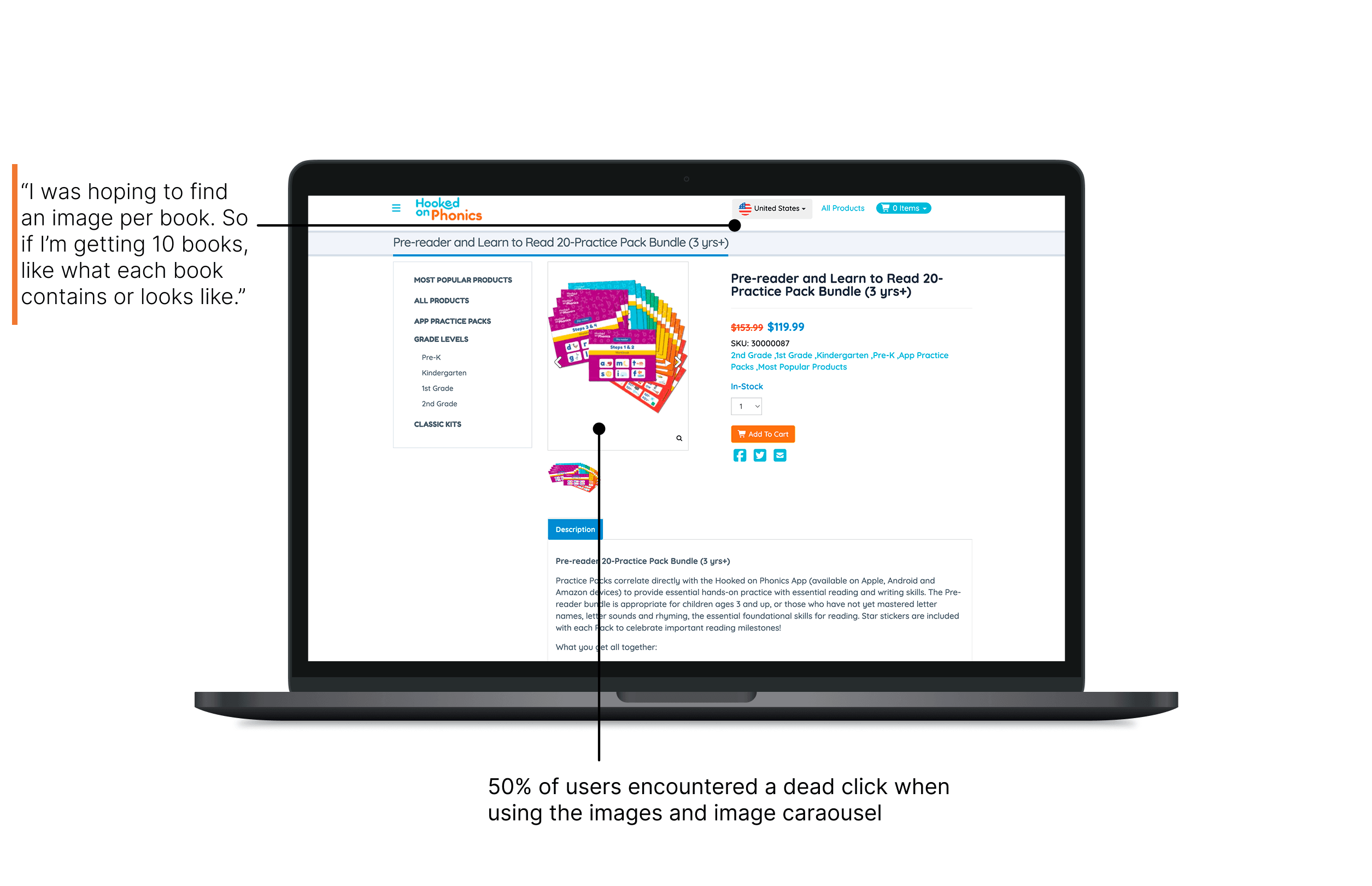
4/6 users felt that the product image didn't support their understanding of the product
Users also found that the product descriptions were too long
Heat maps show that users focused on the bullet points and didn't read the rest of the product description and analytics data confirmed that with scroll maps as well, about 50% of users drop off after scrolling past the first few lines of the description
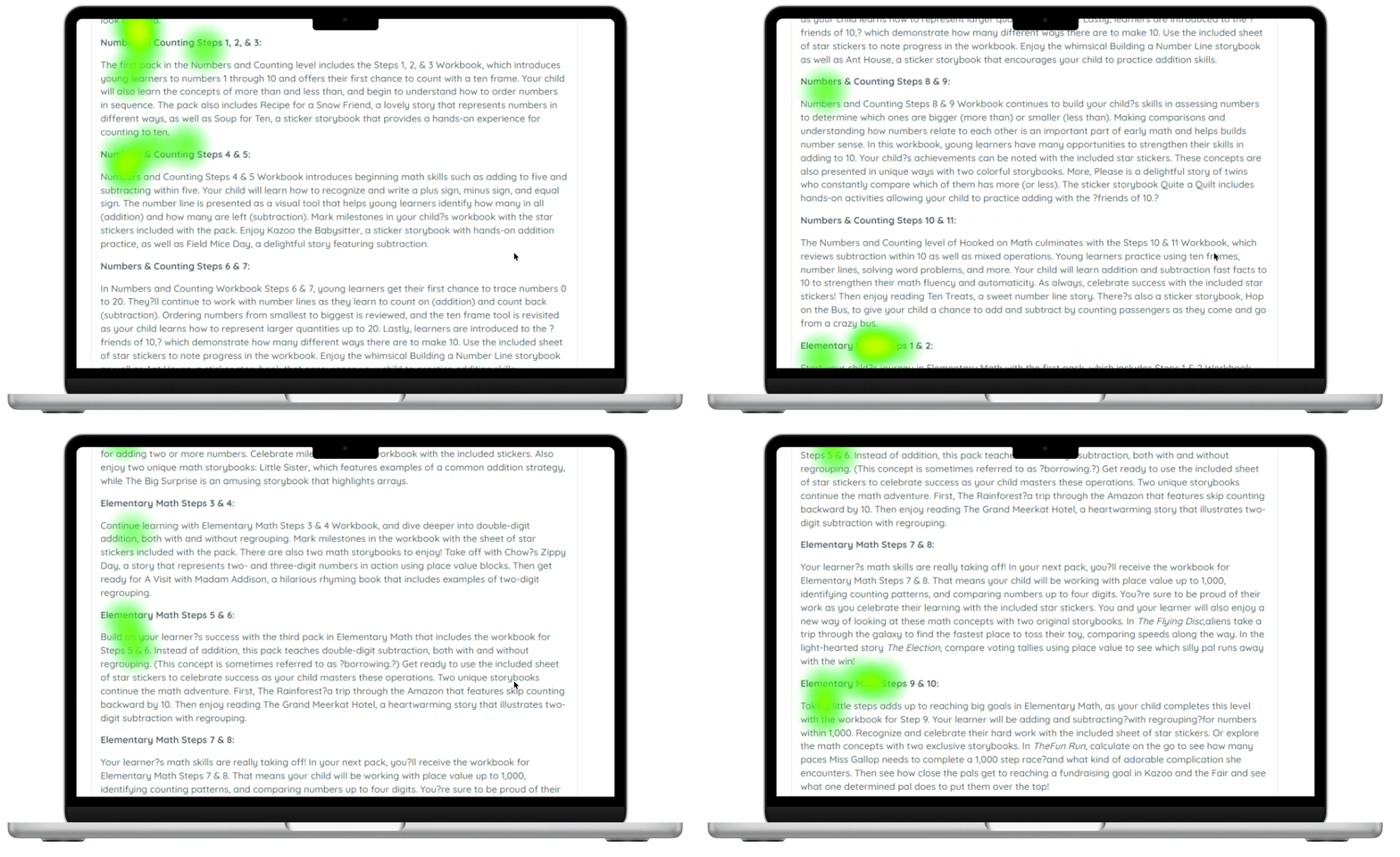
"It's unclear what the product is until I read this, and I genuinely don't have time to read all this, to be very honest."
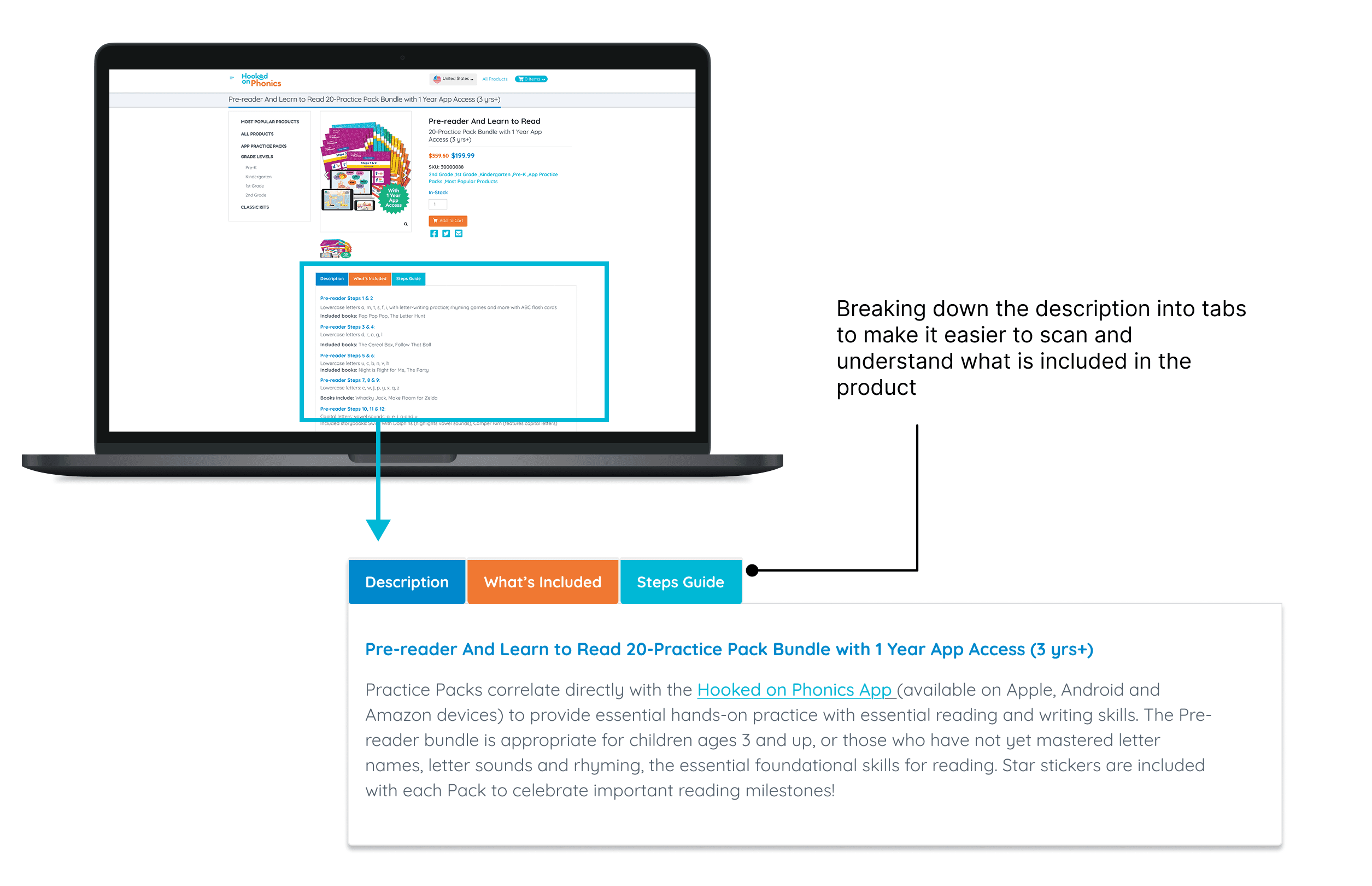
Our recommendation for the product page is that we propose breaking down the description into tabs and improving the images and image carousel
We also recommend debugging the image carousel so that there are no areas for dead clicks
As for the product images themselves, we do recommend adding more images so that users understand exactly what they are getting in the bundle
Client Feedback
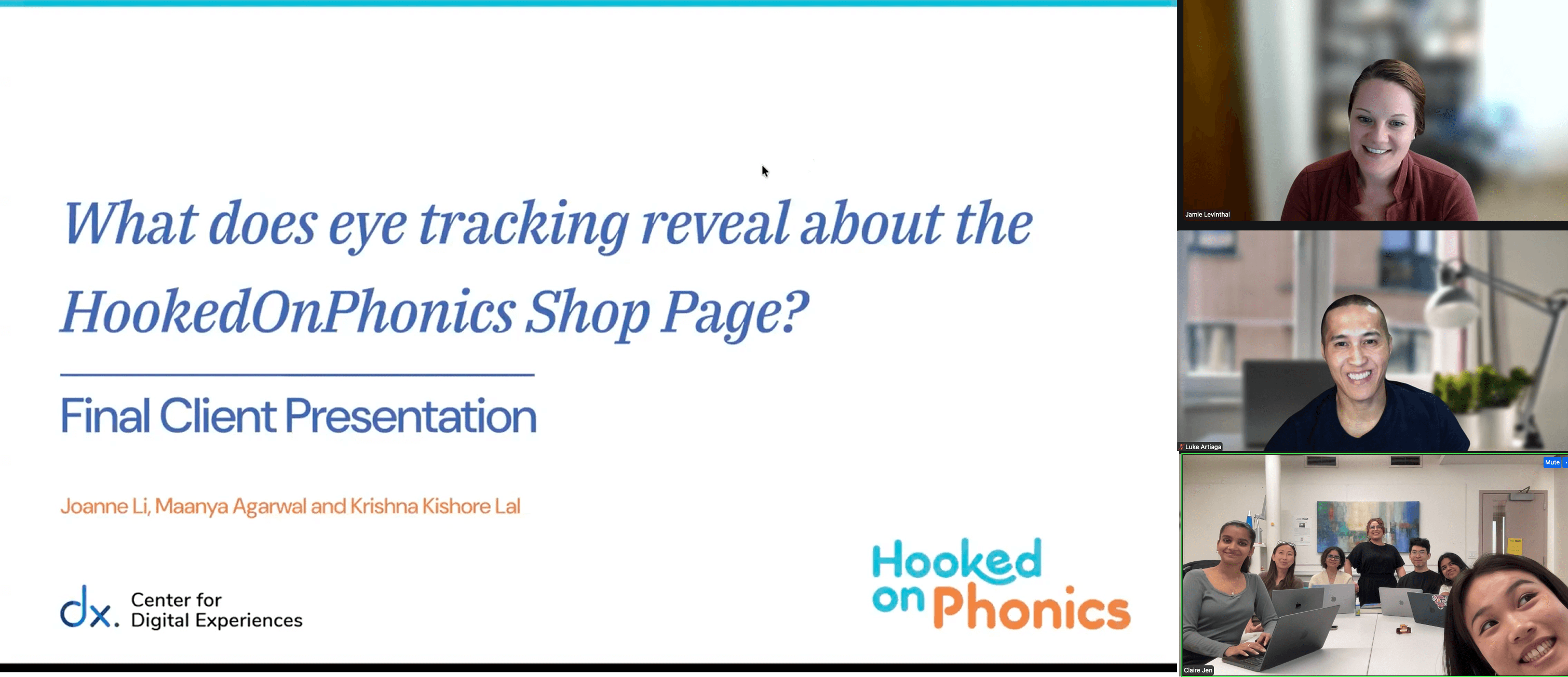
Our clients loved our work and they are excited to take up the insights and implement them
"I think that was really nice! I appreciate and feel very validated in a lot of your findings myself."
"Very nice presentation! Appreciate the thoughtfulness"
My Takeaways
I really enjoyed designing an eye tracking study. As opposed to moderated usability testing, we also had to think about the retrospective think aloud and the analytics data. A lot of thought went into designing the tasks
It was challenging but rewarding when it came to triangulating the data from multiple sources. We had to dive deep into every piece of data and see whether something was confirmed or contradicted by another source of data
Working with my team was so incredible. I learned a lot about communicating for an end to end research project and navigating the challenges that come with having to do so much in so little time
Copyright © 2026 Krishna Kishore Lal